
Zoho Mail - Email and Calendar
Zoho Corporation
Create Screenshots Like Zoho Mail - Email and CalendarApp Store Screenshots (7)
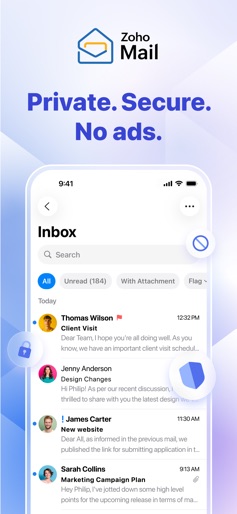
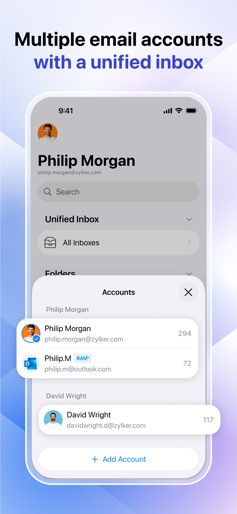
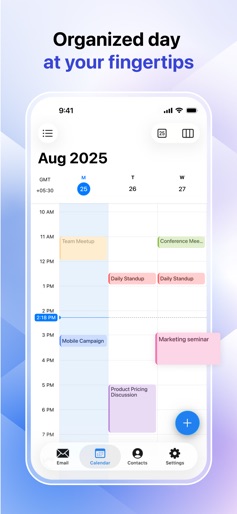

Design Analysis
Visual Design
Style: iOS Native
Key Features Shown
- •Unified Inbox
- •Calendar Management
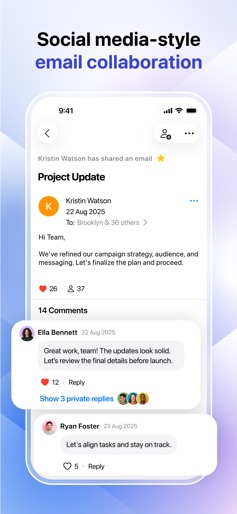
- •Social-style Collaboration (Streams)
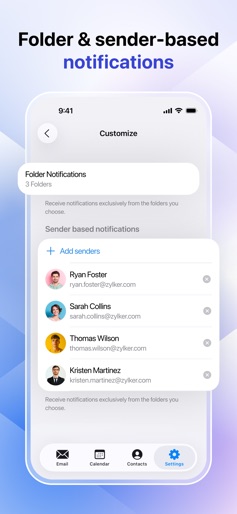
- •Customizable Notifications
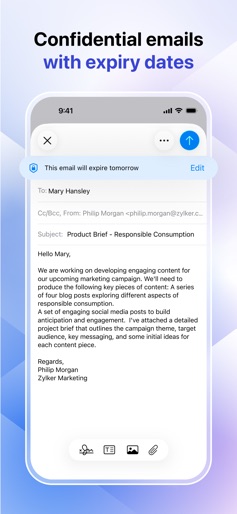
- •Security/Privacy focus
App Insights
Target: Small to medium-sized businesses (SMBs), freelancers, and privacy-conscious professionals seeking an alternative to Gmail/Outlook.
- •In-app purchases for storage/features
- •SaaS subscriptions (Lite and Premium plans)
- •Enterprise licensing
ASO Keywords:
About Zoho Mail - Email and Calendar
Zoho Mail—email and calendar Secure business email and calendar at your fingertips. Zoho Mail for mobile brings email, calendars, and contacts to your fingertips so you can achieve workplace productivity on the go. At Zoho, we're committed to delivering unparalleled privacy and security. With certifications like ISO/IEC 27001, 27017, 27018, ISO 9001, 22301, and SOC 2 Type II, we meet the highest global standards for cloud security, information, and risk management. As a GDPR- and HIPAA-compliant platform, we safeguard your personal and health data—giving you complete peace of mind. ‣ Multiple accounts, one inbox Manage all of your email accounts effortlessly with Zoho Mail’s unified inbox. See and organize everything in one place, no matter how many accounts you use. ‣ Offline? No problem Browse your inbox and compose and respond to emails even without internet connectivity. Your messages will be sent automatically once you're back online. ‣ Private and secure with no ads Experience true privacy with an ad-free inbox that offers end-to-end encryption, passcode protection for sensitive emails, and forwarding restrictions. ‣ Smarter inbox management Supercharge your email management with contextual menus and action sheets for faster and easier decision-making. ‣ Collaborate smarter Transform email collaboration by providing a social media style of communication with Streams. No more endless forwarding—just seamless teamwork. ‣ Tailored notifications Stay focused by setting custom alerts for your desired senders and folders. ‣ Lightning-fast search Find emails instantly with advanced filters for contacts, content, attachments, and more. ‣ Integrated calendar RSVP, schedule, and manage your day—all from your inbox. ‣ Connected contacts Access personal and work contacts effortlessly. Email, chat, or call with just a tap. ‣ Personalized for you Choose light or dark mode, tweak swipe actions, and set up your inbox your way. ‣ 24/7 customer service Enjoy hassle-free support by contacting a live agent through email, toll-free phone, or live chat. ‣ License requirements The Zoho Mail mobile app is available for free. With paid plans for businesses—Lite and Premium—you'll get access to more features and storage limits. Pricing: https://www.zoho.com/mail/zohomail-pricing.html Terms of service: https://www.zoho.com/terms.html Privacy policy: https://www.zoho.com/privacy.html Support: https://www.zoho.com/mail/contact.html
Create screenshots like Zoho Mail - Email and Calendar
Use FlyerBanana's free editor to create professional App Store screenshots inspired by Zoho Mail - Email and Calendar's design. 100+ templates, device frames, and one-click export.











