App Store Screenshots (4)


Design Analysis
Visual Design
Style: Material Design
Key Features Shown
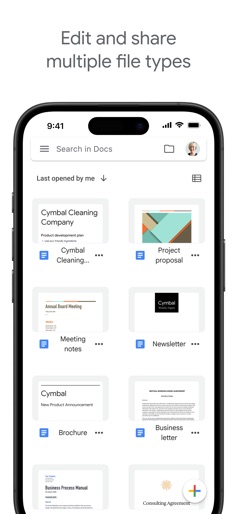
- •Offline Editing
- •File Management
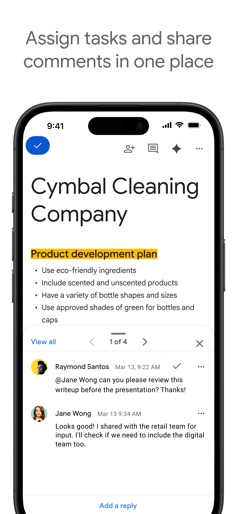
- •Real-time Collaboration
- •Gemini AI Integration
App Insights
Target: Students, educators, remote professionals, and enterprise teams requiring real-time document collaboration and cross-platform accessibility.
- •Google Workspace Subscriptions
- •Enterprise Licensing
- •Cloud Storage Upselling (Google One)
ASO Keywords:
About Google Docs
Create, edit, and collaborate on online documents with the Google Docs app. Work together in real time • Share documents with your team • Edit, comment, and add action items in real time Create anywhere, anytime—even offline • Capture spontaneous ideas on the fly • Get things done, even on the go, with offline mode • Save time and add polish with easy-to-use templates Edit and share multiple file types • Open a variety of files, including Microsoft Word files, right in Google Docs • Frictionless collaboration, no matter which application your teammates use • Convert and export files seamlessly Google Docs is part of Google Workspace: where teams of any size can chat, create, and collaborate. Google Workspace paid subscribers have access to additional Google Docs features, including: Use Gemini in Docs to quickly draft and edit content • Draft outlines, blog posts, briefs, and more on the go • Improve your writing with AI-powered suggestions Learn more about Google Docs: https://workspace.google.com/products/docs/ Follow us for more: • X: https://x.com/googleworkspace • Linkedin: https://www.linkedin.com/showcase/googleworkspace • Facebook: https://www.facebook.com/googleworkspace
Create screenshots like Google Docs
Use FlyerBanana's free editor to create professional App Store screenshots inspired by Google Docs's design. 100+ templates, device frames, and one-click export.