
Yandex Maps and Navigator
Direct Cursus Computer Systems Trading LLC
Create Screenshots Like Yandex Maps and NavigatorApp Store Screenshots (8)



Design Analysis
Visual Design
App Insights
About Yandex Maps and Navigator
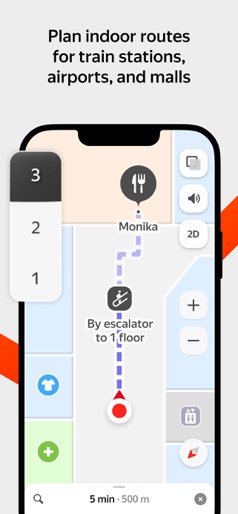
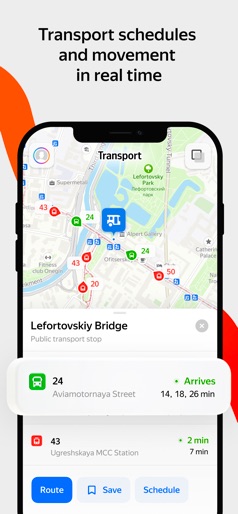
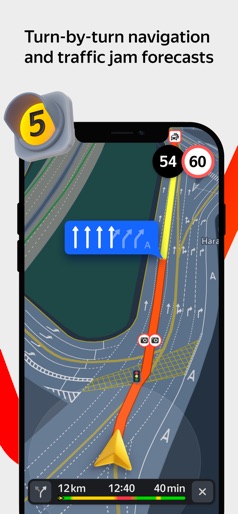
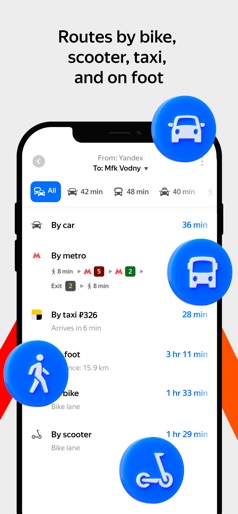
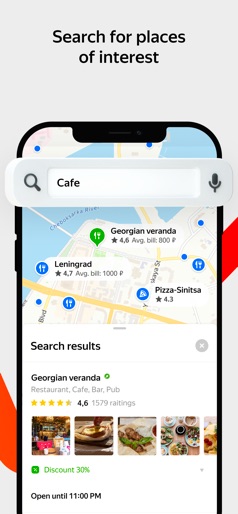
Search for an address or the best places nearby both online and offline. Yandex Maps provides information about organizations and helps you reach your destination by car, public transport, bike, or on foot based on current traffic conditions. Search for and select locations: • The largest organization database and filters to refine your search. • Detailed information: contacts, hours of operation, services provided, photos, and reviews. • Floor plans to find your way around Moscow's major shopping malls. • Search for places and addresses without an internet connection (offline maps). • View places saved on your smartphone, tablet, and PC. Custom map settings: • Real-time location of buses, trams, trolleybuses, and minibuses. • Road maps that show current traffic conditions in the city. • Parking layer with the location and cost of official parking. • Street panoramas for a road-side view of any address. • Choose from three map types: Roadmap, Satellite, and Hybrid. Public transport, car, bike, and walking routes: • Pedestrian navigation: paths between buildings, through parks, across squares, and other pedestrian zones. • Bike navigation: road types, underpass and overpass preferences, and highway warnings. • Public transport routes with timetables and estimated time of arrival. • Optimal driving routes based on live traffic conditions and driving options. • Step-by-step instructions with voice navigation. • Speed camera, speed limit, and speeding notifications. • Real-time updates on traffic, road accidents, speed radar, and more. Offline maps: • Driving routes and voice navigation. • Downloadable lightweight maps (minimum storage space, for example, the Moscow map is just 187 MB). • Database of organizations with hours of operation, services provided, and more. • Over 2000 cities in Russia, Armenia, Belarus, Georgia, Kazakhstan, Latvia, Turkey, Ukraine, and Estonia. Information from users: • Mark road events on the map and comment on user submissions. • Regular updates to the Public Map keep you informed about your city. • Write reviews, upload photos, and update information about organizations. Yandex Maps has an Apple Watch app. Use it to: • Navigate the map. • View the nearest metro station and public transport stops. • Find out when public transport will arrive at a nearby stop. • Track traffic patterns a few hours ahead of time. • View weather forecasts. Terms of Use: apple.com/legal/itunes/appstore/dev/stdeula Privacy Policy: yandex.com/legal/confidential
Create screenshots like Yandex Maps and Navigator
Use FlyerBanana's free editor to create professional App Store screenshots inspired by Yandex Maps and Navigator's design. 100+ templates, device frames, and one-click export.
More Maps & Navigation Apps
View all

United Airlines
Maps & Navigation


Google Maps
Maps & Navigation


Southwest Airlines: Travel App
Maps & Navigation


The Weather Channel - Radar
Maps & Navigation


Expedia: Hotels, Flights, Cars
Maps & Navigation


Waze Navigation & Live Traffic
Maps & Navigation