App Store Screenshots (9)


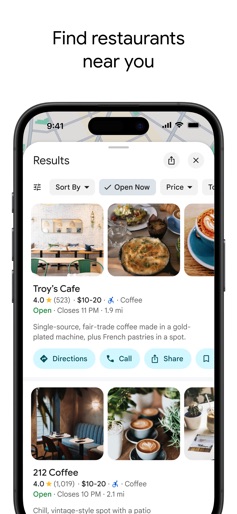


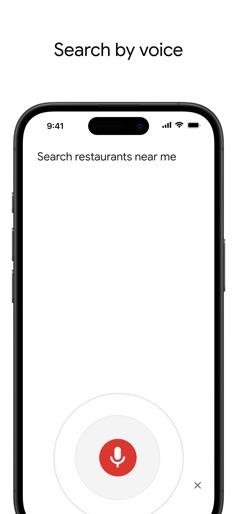
Design Analysis
Visual Design
Style: Hybrid (Material Design elements on iOS)
Key Features Shown
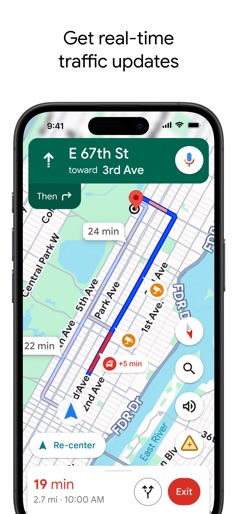
- •Turn-by-turn navigation
- •Real-time traffic overlays
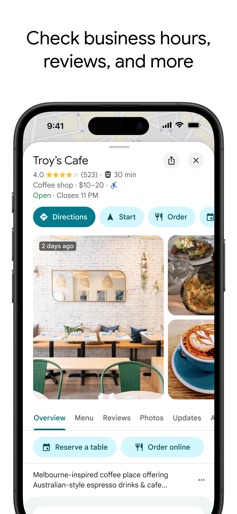
- •Business profile with reviews
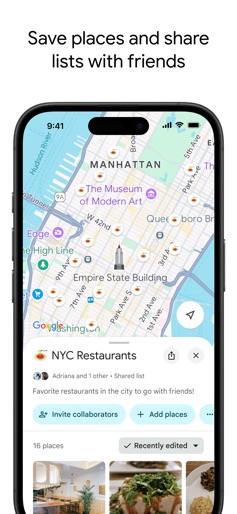
- •Collaborative shared lists
- •Map layer selection
App Insights
Target: Global smartphone users requiring navigation, local business discovery, and transit information.
- •Ad-supported (Local Search Ads)
- •B2B API Licensing (Google Maps Platform)
- •Data monetization
- •In-app referrals (Uber/Lyft/Hotel booking)
ASO Keywords:
About Google Maps
Explore and navigate the world with confidence using Google Maps. Find the best routes with live traffic data and real-time GPS navigation for driving, walking, cycling, and public transport. Discover over 250 million businesses and places - from restaurants and shops to everyday essentials – with photos, reviews, and helpful information. Navigate the world, the way you want: • Get to where you need to go with fuel-efficient route options • Find the best route with real-time, turn-by-turn voice, and on screen navigation • Save time with automatic rerouting based on live traffic, incidents, and road closures • Catch the bus, train, and ride-share effortlessly, with real-time updates • Find bike or scooter rentals to get around more easily Plan trips and experiences effortlessly: • Preview an area before you go (e.g. parking, entrances) with Street View • Use Immersive View to experience what landmarks, parks and routes look like, and even check the weather so you can be ready in advance • Create custom lists of your favorite saved places and share with others • Order delivery and takeout, make reservations, and book hotels • Don't get lost with offline maps in an area with bad signal • Search for local places and things to do, and decide based on user reviews and photos Discover and explore like a local: • Explore with confidence knowing 500 million users contribute and keep the map up to date each year • Avoid the crowds by seeing how busy a place is before you get there • Use Lens in Maps to see walking directions overlaid on the real world • Filter restaurants by cuisine, hours, price, rating and more • Ask questions about a place, from dishes to parking, and get quick answers Some features not available in all countries or cities Navigation isn't intended to be used by oversized or emergency vehicles
Create screenshots like Google Maps
Use FlyerBanana's free editor to create professional App Store screenshots inspired by Google Maps's design. 100+ templates, device frames, and one-click export.