Word Screw - 3D Unscrew Bolts icon

Word Screw - 3D Unscrew Bolts

Snap Brain Games

Brain Training
4.9(2.3K ratings)
Free
Create Screenshots Like Word Screw - 3D Unscrew Bolts

App Store Screenshots (5)

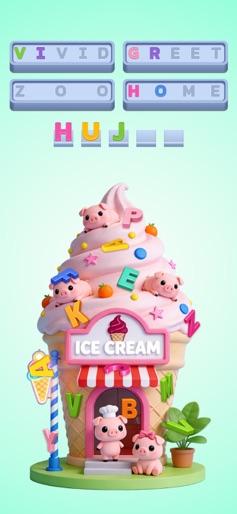
Word Screw - 3D Unscrew Bolts screenshot 1
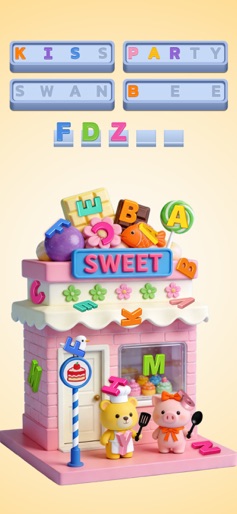
Word Screw - 3D Unscrew Bolts screenshot 2
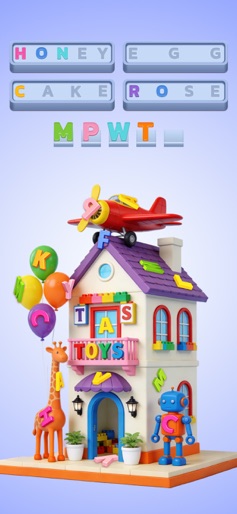
Word Screw - 3D Unscrew Bolts screenshot 3
Word Screw - 3D Unscrew Bolts screenshot 4
Word Screw - 3D Unscrew Bolts screenshot 5

Design Analysis

Visual Design

App Insights

About Word Screw - 3D Unscrew Bolts

Ready for words with a twist? In Word Screw, letters aren’t just sitting there—they’re hiding out on awesome 3D objects! Spin a dollhouse, peek inside a toy robot, and rotate a yummy hamburger to hunt them all down. Tap to snag the letters in the right order, spell out the words, and conquer the level. It’s word finding like you’ve never seen it!  Features: WORDS IN 3D-LIGHTFUL STYLE: Who needs boring grids? Be a word detective and hunt for letters on beautifully detailed objects. Spin them, flip them, and find every last one! It’s a total blast! TONS OF FUN THEMES: From cute animals to cool gadgets and festive holiday items, there’s a whole universe of words to discover. You’ll become a vocabulary superstar without even realizing it! CHILL & TRAIN YOUR BRAIN: No timers, no stress, just pure word-finding joy. It’s the perfect way to unwind while giving your brain a delightful little workout. EASY PEASY CONTROLS: It’s as simple as it gets: swipe to spin, tap to snag. You can jump right into the fun without any fuss!  Ready to give your word skills a new spin? Download Word Screw now and start the fun and unique word hunt

Create screenshots like Word Screw - 3D Unscrew Bolts

Use FlyerBanana's free editor to create professional App Store screenshots inspired by Word Screw - 3D Unscrew Bolts's design. 100+ templates, device frames, and one-click export.


More Brain Training Apps

View all

Frequently Asked Questions

How can I create screenshots like Word Screw - 3D Unscrew Bolts?
You can create App Store screenshots inspired by Word Screw - 3D Unscrew Bolts using FlyerBanana's free screenshot editor. Choose from 100+ templates, customize colors, text, and device frames, then export in all required sizes.
What screenshot sizes does Word Screw - 3D Unscrew Bolts use?
Word Screw - 3D Unscrew Bolts uses standard App Store screenshot sizes including 6.7" (1290×2796px), 6.5" (1284×2778px), and 5.5" (1242×2208px) for iPhones. FlyerBanana supports all required sizes with one-click export.
Can I use Word Screw - 3D Unscrew Bolts's screenshot style for my app?
Yes! While you shouldn't copy screenshots directly, you can use Word Screw - 3D Unscrew Bolts's design patterns as inspiration. FlyerBanana's templates let you create professional screenshots with similar layouts, color schemes, and visual styles.
What makes good Brain Training app screenshots?
The best Brain Training app screenshots clearly showcase key features, use consistent branding, include compelling copy, and follow App Store guidelines. Browse our Brain Training inspiration gallery to see what top apps do well.