

App Store Screenshots (10)


Design Analysis
Visual Design
Style: Custom
Key Features Shown
- •Multi-thread download configuration
- •File categorization (Apps, Archives, Video, Music)
- •Ad-blocker testing tool
- •Download speed limiters
- •Batch download control
App Insights
Target: Android users in emerging markets (specifically MENA region) seeking a lightweight alternative to heavy download managers for media and documents.
- •In-app advertising (banners, interstitials)
- •Potential for future premium ad-free tier
ASO Keywords:
About TDM: Files Download Manager
TDM (Files Download Manager) is a fast and lightweight download manager for Android. Control all your downloads in one clean place – videos, music, documents and any other files from the internet. Fast & smart downloader - Accelerates downloads with multi-thread support. - Stable downloads, even on weak or unstable networks. - Pause and resume downloads without starting again. - Auto retry for failed downloads (optional). Organize all your files - Group downloads by type: videos, audio, documents, archives and more. - Sort by name, size, date or status. - Easy search to quickly find any file. - See detailed information: speed, remaining time, progress and file size. Easy to add downloads - Paste links directly into TDM. - Share links from your browser or other apps to TDM. - Detect downloadable files from the built-in browser (if you enable it). Full control, simple interface - Minimal, clean UI that is easy for beginners. - Powerful options for advanced users who download a lot. - Limit the number of parallel downloads. - Choose Wi-Fi only mode to save mobile data. - Enable or disable notifications for completed downloads. Designed to be light - Small app size and optimized performance. - Few, non-intrusive ads – no aggressive popups. - Battery-friendly background work. TDM – Files Download Manager is built for users who want a fast download manager, fewer ads and a simple interface without losing control. Download TDM now and start managing all your files with one powerful, easy download manager.
Create screenshots like TDM: Files Download Manager
Use FlyerBanana's free editor to create professional App Store screenshots inspired by TDM: Files Download Manager's design. 100+ templates, device frames, and one-click export.
More File Management Apps
View all

Dumpster: Photo/Video Recovery
File Management


ShareKaro Lite: File Share App
File Management


SHAREit: Transfer, Share Files
File Management
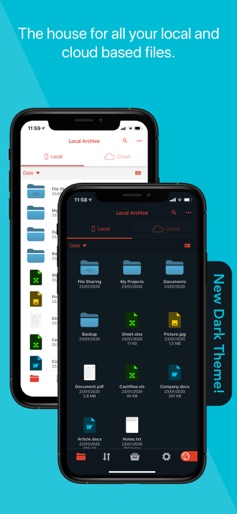

Amerigo File Manager
File Management


Zapya - File Transfer, Share
File Management

All Recovery - Photos, Videos
File Management