
QuillBot: AI Writing, Keyboard
QuillBot, a Learneo Inc. business
Create Screenshots Like QuillBot: AI Writing, KeyboardApp Store Screenshots (8)



Design Analysis
Visual Design
App Insights
About QuillBot: AI Writing, Keyboard
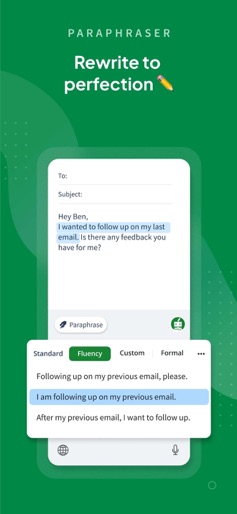
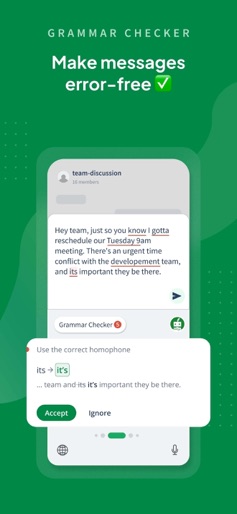
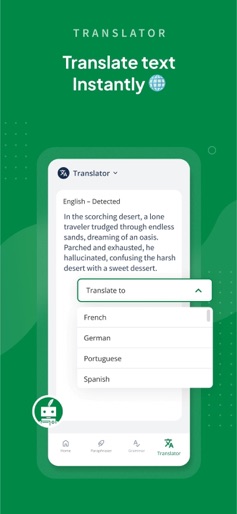
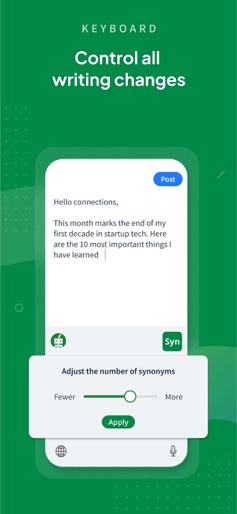
Communicate confidently anywhere with QuillBot - AI Writing and Keyboard QuillBot makes it easy to write on the go for free. Our AI-powered writing app now goes beyond paraphrasing, grammar checking, AI detection, and translation to allow you to generate content with AI and save documents. Whether you’re sending an important text, drafting a work email, or crafting the perfect social media post, QuillBot’s AI keyboard ensures your writing is clear, polished, and effective. Key Features Our AI writing app now includes 6 powerful tools: Paraphraser, Grammar Checker, AI Detector, Translator, Generative AI, and Document Save. Free Grammar Checker Fix punctuation, grammar, and spelling mistakes instantly. In addition to checking spelling, our proofreader can also rephrase unclear or unconventionally phrased sentences. AI Paraphraser Paraphrase your writing in various styles to improve its flow, uniqueness, and impact. AI Detector Scan your writing for AI-generated content and receive a free detailed report on how AI may have been used in your text. Translator Translate text in over 50 languages instantly. Keyboard Our AI Writing Keyboard gives you instant access to Grammar Checker, Paraphraser, and Translator in any app. Enjoy seamless writing support wherever you type; review, rephrase, and translate your text without switching apps. Generative AI Generate new text from scratch, whether it’s emails, captions, or big ideas. Collaborate with AI to brainstorm, refine, and write seamlessly in real time. Document Storage Save and revisit drafts whenever you like with built-in document storage. Our powerful editor combines all your tools in a distraction-free space. It’s perfect for drafting, refining, and sharing your work or saving it for later. Paraphrasing Modes Free - Standard: Paraphrase text with new vocabulary and word order - Fluency: Improve clarity and readability - Generative AI: A free account also allows for 5 AI generations per day Premium - Humanize: Rewrite in a natural, authentic style - Formal: Rephrase in a sophisticated tone - Academic: Make text more technical and scholarly - Simple: Present text in easy-to-understand language - Creative: Produce original, innovative phrasing - Expand: Increase text length - Shorten: Make text more concise - Custom: Rewrite text to match your unique instructions - Generative AI: With Premium, you also get access to unlimited AI generation How the Keyboard App Works - Install QuillBot - AI Writing Keyboard App for iOS from the App Store - Create a free account (optional) - Enable keyboard permissions to allow full use of QuillBot’s AI tools - Start writing, reviewing, and generating with AI anywhere you type QuillBot Premium: Even More Power Premium unlocks 10+ paraphrasing modes, advanced grammar suggestions, unlimited words in Paraphraser, and more. Visit quillbot.com/premium to upgrade. Why Choose QuillBot - The original AI Paraphraser—trusted by millions worldwide - 10+ styles to customize your text - Custom mode for unlimited flexibility - Expert-trained algorithms for high-quality results - Detailed AI detection reports - Support for 20+ languages in paraphrasing, 6 in grammar, and 50+ in translation - Now with Generative AI, chat with AI and offline document saving on the app - Free access to core tools: Paraphraser, Grammar Checker, Translator, AI Detector, and Generative AI App Privacy and Data Safety At QuillBot, we value your data security. To view our Privacy Policy, please visit https://quillbot.com/privacy. For more information about our Terms and Conditions, visit https://quillbot.com/terms. Write better. Everywhere. For free. Install QuillBot - AI Writing Keyboard for iOS today to paraphrase, generate, chat, translate, detect AI, and save your writing anywhere you type.
Create screenshots like QuillBot: AI Writing, Keyboard
Use FlyerBanana's free editor to create professional App Store screenshots inspired by QuillBot: AI Writing, Keyboard's design. 100+ templates, device frames, and one-click export.










