

App Store Screenshots (6)


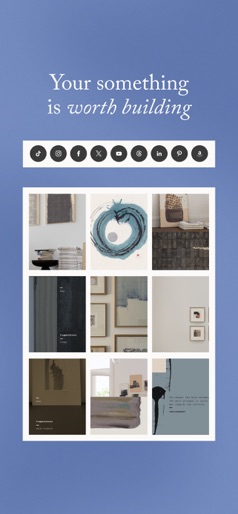
Design Analysis
Visual Design
App Insights
About Planoly: Social Media Planner
Planoly Social Planner is a social media planner and scheduler trusted by over 8 million content creators to build your following on social media. Leverage comprehensive creator tools to manage every piece of your social strategy and grow your business. From powerful AI caption generation to content inspiration, Planoly has you covered. Enjoy visual planning tools and auto-posting to Instagram, Threads, LinkedIn, TikTok, YouTube (including YouTube Shorts!), Facebook, X (formerly Twitter) & Pinterest. Create a winning social strategy, craft standout content, and let Planoly handle the posting–so you can focus on building connections that count. Map out your content ideas, organize your hashtags, craft the perfect caption and schedule posts. Whether you need an Instagram feed planner or a simple way to repurpose content across every social channel, Planoly brings you what you need to get more done. Download today! Stay organized and find your flow - Plan your monthly social calendar. - Switch between calendar, list and grid view. - Preview your posts and stay effortlessly organized. Schedule social content and grow your following - Set posting goals you’ll actually stick to. - Use placeholders to organize posts across all your channels. - Auto-post to all social channels in one place - including TikTok, Threads, LinkedIn, Instagram, YouTube, Facebook, X & Pinterest Build your dream grid - Curate a grid that’s as unique as your brand. - Leverage powerful content editing tools, expertly-curated weekly trends, and stock photography you’ll actually want to use. Looking for a way to sell your products or digital services? Planoly Creator Store allows you to build a store and sell all your products in one place. We offer 4 plan options - all customizable. Easily add additional social sets or team members to any plan. - PERSONAL: FREE plan with 1 social set + 10 uploads per month - STARTER: 1 social set + 60 uploads per month - GROWTH: 1 social set + unlimited uploads + 3 users Privacy Policy: https://www.planoly.com/privacy-policy Terms of Use: https://www.planoly.com/terms-of-use We'd love to connect with you! Customer Support: https://www.planoly.com/contact-us Instagram: @planoly TikTok: @planoly X: @planoly
Create screenshots like Planoly: Social Media Planner
Use FlyerBanana's free editor to create professional App Store screenshots inspired by Planoly: Social Media Planner's design. 100+ templates, device frames, and one-click export.











