
App Store Screenshots (6)


Design Analysis
Visual Design
App Insights
About Pimsleur | Language Learning
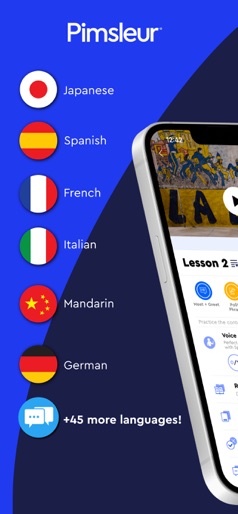
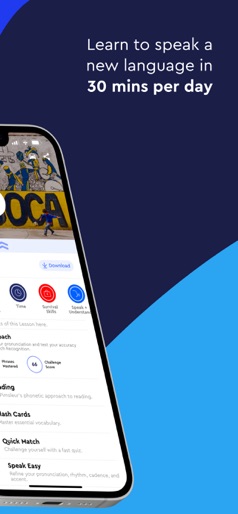
Is your goal to actually speak a new language? Millions of people have learned to speak a new language fluently with Pimsleur - the scientifically proven language learning app. Pimsleur is uniquely focused on conversational language skills, unlike many other language apps. Our focus is on the language learner’s conversational goals, so we won’t have you matching words and images on a screen, we actually teach you how to speak from day 1. You will be able to hold your first conversation within 30 minutes! THE PIMSLEUR METHOD: For 50 years, we’ve been helping people rapidly learn languages in 30 days. Do you want to learn Spanish for your trip to Mexico? Do you want to learn Japanese for a trip to Tokyo? Pimsleur is the language learning app for you. And best of all, you can learn Japanese, Spanish, French, and more … while driving, at the gym, or while cooking dinner. No Internet needed with offline mode. Plus the built-in hands-free mode makes it easy to learn a new language anywhere, anytime, even in the car! Pimsleur language courses are available for 51 languages, so you can learn Japanese, Spanish, French, Italian, German, Chinese Mandarin, Korean, Norwegian, Hebrew, Tagalog, Hindi, Arabic, Portuguese, Russian and English. Pimsleur also integrates beautifully with the Amazon Alexa for working through lessons at home. TRY IT FREE: Download the app and try a free lesson today in one of 51 languages. Discover why we’ve been in business for 50 years! PIMSLEUR PREMIUM APP FEATURES: CORE CONVERSATIONAL LESSONS Enjoy the enhanced continuity of 30-minute Pimsleur conversational lessons you can take anywhere, or do at home with Alexa. READING LESSONS Learn to read your new language – easily, but not at the expense of your goal of speaking the language! SPEAK EASY CHALLENGE Role-play while reviewing written transcripts of the conversations. DIGITAL FLASH CARDS Practice vocabulary and dive deeper into the written language. SKILLS CATEGORIES Review and practice sentences and phrases by topic. SKILL-BUILDING TOOLS Relax, have fun, and test your new skills with the Quick Match and Speed Round. SYNC PROGRESS Learning stays on track as your progress is automatically synched across all your mobile devices including Amazon Echo. UNINTERRUPTED LEARNING Stream or download and listen offline. There are no ads. You listen and learn without interruptions. *Not all features are available for all languages. For more information or a complete list of languages, please visit our website. CHOOSE FROM 51 LANGUAGES Learn Spanish, French, Japanese, German, Italian, Brazilian Portuguese, Russian, Hebrew, Korean, Mandarin, Chinese, Arabic, Turkish, Polish, English, Indonesian, Dutch, Danish, Swedish, Polish, Farsi, Greek, Tagalog, Norwegian, Thai, Finnish, Czech, and many more. Your Privacy Choices: https://simon-privacy.my.onetrust.com/webform/42b48037-2185-4e2d-96d2-a4301bbc3f8a/b3c0395b-4ed8-404f-b14b-3d388bec653d California Notice: https://www.pimsleur.com/c/privacy-policy#US SUBSCRIPTION PRICING AND TERMS: Pimsleur Terms of Use: https://www.pimsleur.com/c/terms-of-use#_Toc1489408 Pimsleur Privacy Policy: https://www.pimsleur.com/c/privacy-policy
Create screenshots like Pimsleur | Language Learning
Use FlyerBanana's free editor to create professional App Store screenshots inspired by Pimsleur | Language Learning's design. 100+ templates, device frames, and one-click export.










