Nuts & Bolts 3D icon

Nuts & Bolts 3D

Unicorn Studio Official

Brain Training
4.9(3.6K ratings)
Free
Create Screenshots Like Nuts & Bolts 3D

App Store Screenshots (8)

Nuts & Bolts 3D screenshot 1
Nuts & Bolts 3D screenshot 2
Nuts & Bolts 3D screenshot 3
Nuts & Bolts 3D screenshot 4
Nuts & Bolts 3D screenshot 5
Nuts & Bolts 3D screenshot 6
Nuts & Bolts 3D screenshot 7
Nuts & Bolts 3D screenshot 8

Design Analysis

Visual Design

App Insights

About Nuts & Bolts 3D

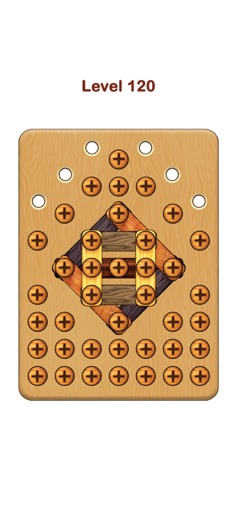
What is your IQ? Do you want to know? Play Nuts & Bolts 3D: Screw Puzzle to test your smart. Being fun and smart simultaneously challenges and trains your mind while having fun with endless pin puzzles. Screw it out and set it free for all blocks in the levels, become master puzzle solving and have fun with the imaginative games we've created just for you. Easy but fun gameplay Tap and tap only to move all screws get out the block, and remove all blocks to win this game Various Difficulty Levels Dive into 100+ levels, from beginner to advanced, full of fresh challenges and brain-teasing puzzles to keep your mind sharp and the fun rolling Hint System Get friendly hints to solve tricky wood nuts and bolts puzzles Beat the challenge Navigate through twists and turns, guiding the bolts to beat the challenges on your path. Solve it as fast and creatively as possible Connect bolts, pins, and nuts in the coolest ways ever. Show off your creativity and solve puzzles with just a few magical moves! Design your nuts and bolts 10+ skins to customize wood nuts and bolts Do you accept our challenge to find out who is the smartest in Nuts & Bolts 3D: Screw Puzzle

Create screenshots like Nuts & Bolts 3D

Use FlyerBanana's free editor to create professional App Store screenshots inspired by Nuts & Bolts 3D's design. 100+ templates, device frames, and one-click export.


More Brain Training Apps

View all

Frequently Asked Questions

How can I create screenshots like Nuts & Bolts 3D?
You can create App Store screenshots inspired by Nuts & Bolts 3D using FlyerBanana's free screenshot editor. Choose from 100+ templates, customize colors, text, and device frames, then export in all required sizes.
What screenshot sizes does Nuts & Bolts 3D use?
Nuts & Bolts 3D uses standard App Store screenshot sizes including 6.7" (1290×2796px), 6.5" (1284×2778px), and 5.5" (1242×2208px) for iPhones. FlyerBanana supports all required sizes with one-click export.
Can I use Nuts & Bolts 3D's screenshot style for my app?
Yes! While you shouldn't copy screenshots directly, you can use Nuts & Bolts 3D's design patterns as inspiration. FlyerBanana's templates let you create professional screenshots with similar layouts, color schemes, and visual styles.
What makes good Brain Training app screenshots?
The best Brain Training app screenshots clearly showcase key features, use consistent branding, include compelling copy, and follow App Store guidelines. Browse our Brain Training inspiration gallery to see what top apps do well.