
Noteshelf 3: AI Digital Notes
Fluid Touch Pte. Ltd.
Create Screenshots Like Noteshelf 3: AI Digital NotesApp Store Screenshots (7)



Design Analysis
Visual Design
App Insights
About Noteshelf 3: AI Digital Notes
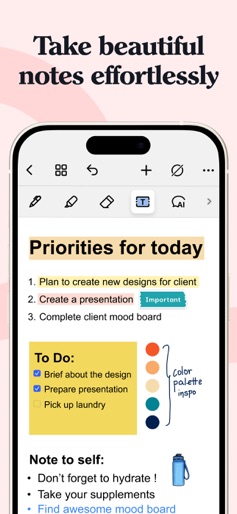
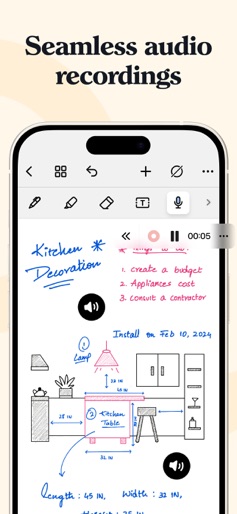
Elevate your digital note-taking experience with Noteshelf 3! Create beautiful handwritten notes, annotate & markup PDFs, record audio notes and level up your note-taking with Noteshelf AI. Noteshelf 3 is the preferred note-taking app for students, teachers, professionals, artists & bullet journal enthusiasts worldwide, to create and organize digital notes. PERSONALIZE YOUR NOTE-TAKING EXPERIENCE - Craft beautiful handwritten notes with a range of lifelike pens & highlighters. Try our fountain pen for an aesthetic touch to your handwriting. - Take notes on lined, dotted, or grid papers in any color or line spacing. - Personalize your digital notebooks with multiple cover options - from classic designs to custom ones of your own images or artwork. - Enjoy a fully customizable toolbar! Add, remove, or re-arrange tools according to your unique workflow. - Choose from a vast library of 200+ exclusive templates for study planners, class notes, wellness trackers, bullet journals, etc., created by the Noteshelf team. - Plan and organize your daily tasks with configurable digital diaries & journals. WRITE, TYPE, DRAW, OR RECORD - YOUR CHOICE! - Transform your strokes into flawless shapes or choose geometric shapes to create flowcharts and diagrams. - Type your notes in various styles and formatting options, bulleted/numbered lists & checklists. - Record audio as you take notes and never miss anything important - great for lectures & meetings! - Convert handwriting into text and search handwritten notes with handwriting recognition in 65 supported languages! - Make every page uniquely yours with fun emojis & stickers. - Find the perfect visuals to complement your notes from the UNSPLASH & PIXABAY libraries. - Use advanced image editing features like background removal and freeform cropping. DISCOVER THE BLISS OF PAPERLESS ORGANIZATION - Organize your notebooks into folders and subfolders, and sort them in your preferred order. - Bookmark important pages, name them, and add colors to create your personalized table of contents. - Use tags as a fast & flexible way to categorize and organize your notes. - Find your notes easily with smart folders that automatically collect photos, audio recordings, and bookmarks from all your notebooks. - Create links between multiple notebooks or pages within a notebook, to connect ideas & concepts effectively. - Multi-task and work on two notebooks simultaneously with multiple windows support. ANNOTATE LIKE A PRO - Import and highlight, underline, or annotate PDFs, DOCs, PPTs & images with precision. - Use the built-in document scanner to quickly digitize physical documents. - Export and share your notes as images & PDFs. LET NOTESHELF AI DO THE HEAVY LIFTING - Generate handwritten notes effortlessly on any topic with Noteshelf AI. - Use Noteshelf AI to summarize whole pages, translate text into different languages, explain complex terms, and more. KEEP YOUR NOTES SAFE & ACCESSIBLE - Secure your notes with passwords, Face ID or Touch ID. - Access your notes across your iPad, iPhone, and Mac devices with iCloud sync. - Auto-backup your valuable notes to popular cloud storage devices like Google Drive, OneDrive, Dropbox, and WebDAV. - Auto-publish notes to Evernote and access them from anywhere. SHARE IDEAS WITH PRESENTATION MODE - Project your notes & slides via external display. - Use the Laser Pointer and a range of markers to highlight key points in real-time. --- Noteshelf 3 is free to use with some limits. Go Premium and unlock the full experience: - Unlimited Notebooks - Handwriting recognition and search - Auto-Backup to Google Drive, Dropbo, OneDrive, and WebDAV - Templates, Digital Diaries and Sticker packs - 100 monthly AI credits By using this app, you agree to Apple’s Terms of Use: https://www.apple.com/legal/internet-services/itunes/dev/stdeula --- Have a suggestion? Reach out to us at noteshelf[at]fluidtouch.biz. We’d love to hear from you! Happy note-taking!
Create screenshots like Noteshelf 3: AI Digital Notes
Use FlyerBanana's free editor to create professional App Store screenshots inspired by Noteshelf 3: AI Digital Notes's design. 100+ templates, device frames, and one-click export.










