
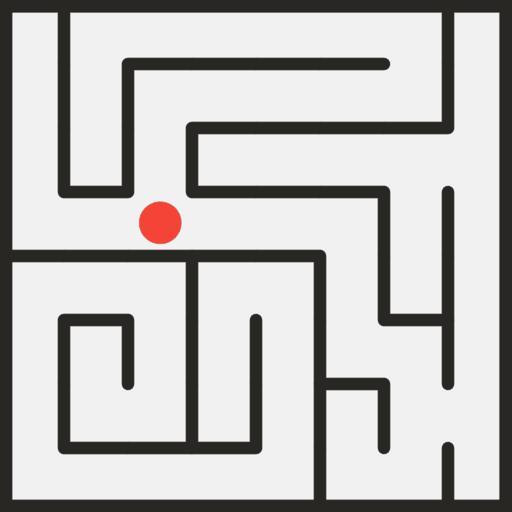
App Store Screenshots (24)


Design Analysis
Visual Design
Style: Custom
Key Features Shown
- •Classic Mode
- •Ice Floor Mode
- •Enemies/Monsters Mode
- •Darkness Mode
- •Time Trial Mode
App Insights
Target: Casual gamers and puzzle enthusiasts seeking low-commitment brain training and offline-capable entertainment.
- •Interstitial ads
- •Rewarded video ads
- •In-app purchases (Ad removal/Hints)
ASO Keywords:
About Mazes & More
Mazes & More is a classic puzzle game, perfect for taking a quick break to train your brain. It’s designed to be a surprisingly simple solo game played by swiping or tapping through fun 2D retro labyrinths. Play a quick game, challenge yourself with 450 labyrinths and become the king of the maze 👑 NEW Features 😃 User-selected avatars: customize your player by choosing from 11 new characters that can replace the default Dot icon. 🎮 In-game navigation: allows you to customize with tap or swipe on-screen controls. 🌈 Custom Path Colors: optimized color options for a custom navigational path. ⏭️ Level Skip: option to skip any level if you get stuck 🙃 Mirror Mode: Try to beat the mazes with all the controls reversed (Hint: Move up to go down) 🔀 Shuffle Mode: Play random mazes from different categories & test your skills in future levels ⚡️ Lightning Mode: Do you have what it takes to complete this fast-paced gauntlet? Key Features 📲 Easy to play, forget about awkward tilt controls. Better than using a marker! 🏆 All mazes are handcrafted for maximum fun, all games are winnable. 👾 6 categories: Classic, Enemies, Ice Floor, Darkness, Traps, and Time Trial. 🎓 Puzzles range from easy mazes to much harder and advanced labyrinths. 👍 Minimal and retro 2D graphics, forget about complicated 3D mazes. 📶 OFFLINE MODE: no wifi required to play. How to Play Customize your player avatar and guide your new friend along the walls of our square mazes. Ditch your paper and marker & those confusing 3D games for this simple logic adventure game played anywhere you wish to relax. Test your memory skills, escape each maze & share your score with friends. Tips & Tricks 👹 Guide the dot or player avatar through different routes in this free maze adventure. Run, explore and find a way out of the intricate walls. Is there a Minotaur? 🐱 No cat and mouse games here, just fun creative maze designs & exciting adventures for anyone. Have Fun! Kickback & Relax 😎 Enjoy playing this casual puzzle, maze, labyrinth game when you feel mentally fatigued or need to sharpen your mind. Discover addictive challenges and hours of entertainment with over 450 different levels and progressive game modes to choose from. The puzzles range from easy mazes to much harder and advanced labyrinths to keep the challenges interesting 🔮 Mazes & More is available in over 57 languages, including English, Spanish, Portuguese, French, German, Russian, Korean, Japanese, Vietnamese, Hindi, Turkish & many others. Thank you for playing Mazes & More! Have any problems, questions or general feedback? Our support team is here to help 🙋♀️🙋🙋♂️ 📧 Email: contact@maplemedia.io 🧑💻 Visit us: http://www.maplemedia.io/
Create screenshots like Mazes & More
Use FlyerBanana's free editor to create professional App Store screenshots inspired by Mazes & More's design. 100+ templates, device frames, and one-click export.










