
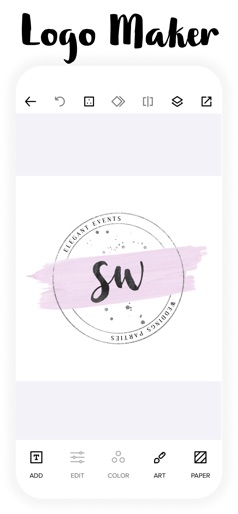
App Store Screenshots (6)


Design Analysis
Visual Design
App Insights
About Logo Maker - Watercolor Logo
Watercolor Logo Maker lets you create professional hand-painted watercolor logo designs to promote your small business. Subscribers get Full Access to: • 500+ Hand-painted Watercolor Logo Templates • Exclusive Watercolor Brush Script Fonts • Easy to use Graphic Design Tools • Professionally Hand-painted Art Elements • Design Your Own Small Business Brand • Watercolor Paper & Color Textures • New Logos & Art Updates by Professional Artists Featuring our new world class team of professional watercolor artists! Our artists have decades of experience and each art piece is hand-painted using real watercolors and paper scanned. Perfect for creative business owners who make beautiful products and services for their customers! Watercolor Logo Maker is great for: • Artists • Graphic Design • Photographers • Event Planners • Specialty Foods • Hand Crafted Goods • Small Business Owners • Creative Products & Services Watercolor Logo Maker lets you create world class hand-painted logo designs and business cards without any graphic design or art skills. Download Watercolor Logo Maker today and create a professional high quality Watercolor Logo for your small business! LICENSE TERMS: Watercolor Logo Maker can be used to promote your small business that you own or for your personal use. Not for businesses that sell designs. Selling or distributing designs is not permitted. Please review our full updated Terms of Use & FAQs in the app :) BILLING TERMS: Watercolor Logo Maker uses a subscription model that gives users access to premium features and professionally hand painted artwork and updates for their small business. Users can choose from 2 billing options: Weekly or Yearly. Use of Watercolor Logo Maker application and artwork is licensed to users. To maintain your software license and to continue using our services without interruption, users’ payment plans are auto renewed. You have the option to cancel your plan at anytime. If a plan is canceled you will be able to continue to use our services until the end of the current billing cycle. Any unused portion of the current billing cycle will not be refunded. To switch your payment plan please follow the steps at https://support.apple.com/en-us/HT204939. To cancel your payment plan please follow the steps at https://support.apple.com/en-us/HT202039. Users are welcome to come back and renew their license at any time. We do not collect user billing information when in-app purchases or subscription purchases are made. All transactions are handled through the user’s iTunes account and is managed by Apple, Inc.
Create screenshots like Logo Maker - Watercolor Logo
Use FlyerBanana's free editor to create professional App Store screenshots inspired by Logo Maker - Watercolor Logo's design. 100+ templates, device frames, and one-click export.











