
App Store Screenshots (10)






Design Analysis
Visual Design
App Insights
About iScanner: PDF Document Scanner
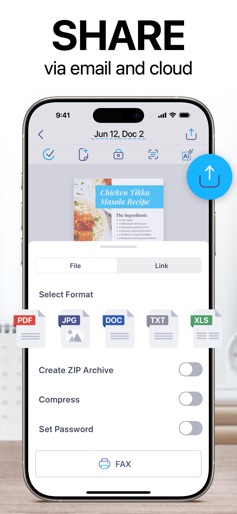
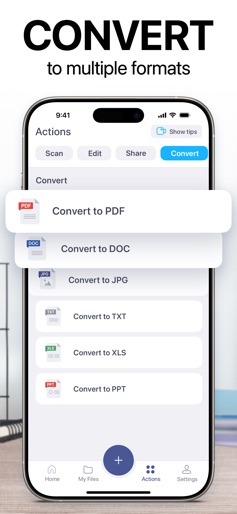
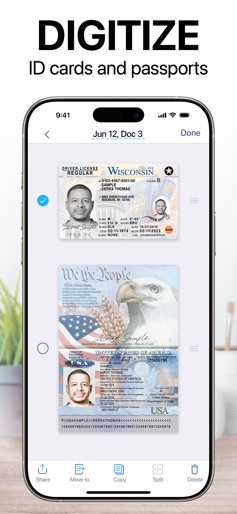
Rewrite, translate, and proofread digital documents with AI Chat. Join 125M+ happy users worldwide! Meet iScanner, a top-rated document scanner and management tool. Loved by millions for its speed, intuitive design, and high-quality scans. Built on 10+ years of experience. With this document scanner, you can scan everything, from receipts and ID cards to assignments and business contracts. Thanks to our in-house AI technology, it delivers clean, precise, and distortion-free results. Just scan your document and export it as a PDF, JPG, DOC, XLS, PPT, or TXT file. Whether you’re a remote worker, business professional, student, teacher, or anyone on the go, our scanner is built for you. With over 125 million users worldwide, iScanner is a complete AI-powered digital office, right on your iPhone or iPad. Need a bigger screen? Use the web version to manage your scanned files. Here’s what you’ll get: AI-POWERED DOCUMENT SCANNER – Improve scan quality with color correction and noise reduction – Have document borders detected and adjusted automatically – Straighten pages and fix curved or skewed scans – Remove fingerprints, folds, and distortions ALL-IN-ONE FREE DOCUMENT EDITOR AND FILE MANAGER – Sign your scan manually or insert a signature from an image – Mark up documents and blur or cover sensitive text – Add text to forms or autofill documents using custom templates – Split your scan into separate pages or merge documents into one – Rotate and reorganise pages, number pages, and insert footers – Organize files into folders and move them with drag & drop IN-HOUSE OCR & AI PDF ASSISTANT – Recognize text in 20+ languages, using fast, in-house OCR built into the scanner – Instantly copy text and images from scanned paper documents – Convert scans into editable DOC or TXT formats with one tap – Search PDF files by file name or by text within the document – Use AI Chat with your PDFs to summarize, translate, rewrite, or ask questions about scanned and recognized text SECURE CROSS-PLATFORM ACCESS – Store your documents in a secure AWS cloud – Sync files and folders across all your devices – Access, transfer, and view your files from any platform or web browser, anytime – Use one subscription for our scanner across all your devices – Import files from Gmail, Google Drive, and Apple Files ON-DEVICE PRIVACY & PROTECTION – Keep confidential documents stored directly on your device (with no access for developers or third parties) – Protect the app and folders with a PIN, Face ID, or Touch ID – Password-protect your PDFs and set custom expiration dates for shared links – Set up a decoy password to block unwanted access with a fake login MULTI-MODE SCANNER FOR EVERY TASK – VARIOUS DOCUMENTS: Use the document scanner to scan business, school, or personal files like contracts, school assignments, or handwritten notes – ID DOCUMENTS: Create secure copies of your passport, ID card, and driver’s license – MATH: Solve complex equations using AI – AREA: Measure object dimensions and calculate area – COUNT: Automatically detect and count similar objects – QR CODE: Instantly read any QR code with your device’s camera SUSTAINABILITY IN ACTION Since 2015, iScanner has helped millions cut paper use and build eco-conscious habits. With our scanner, users can track their actual impact on nature and save hundreds of trees every day by replacing prints with digital copies. Join them and earn eco certificates for going paperless! SUBSCRIPTION DETAILS • iScanner Pro unlocks all scanner features • You won’t be charged until purchase confirmation • Your subscription will auto-renew 24 hours before its expiration date • Manage or cancel your subscription anytime in your App Store settings Privacy policy: http://iscanner.com/mobileapp/privacy Terms of use: http://iscanner.com/mobileapp/terms We’d love to hear from you! Please leave a review to help us make our document scanner even better. You can also get in touch with us at http://iscannerapp.com/scanner/support.
Create screenshots like iScanner: PDF Document Scanner
Use FlyerBanana's free editor to create professional App Store screenshots inspired by iScanner: PDF Document Scanner's design. 100+ templates, device frames, and one-click export.











