App Store Screenshots (6)



Design Analysis
Visual Design
App Insights
About Frameo
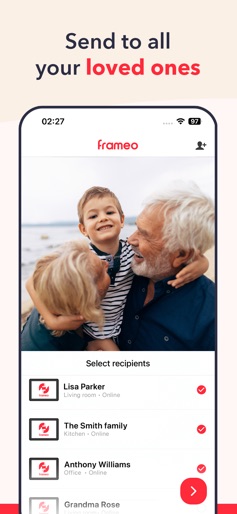
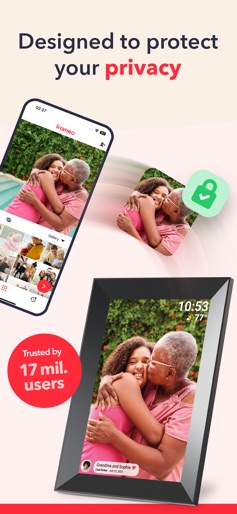
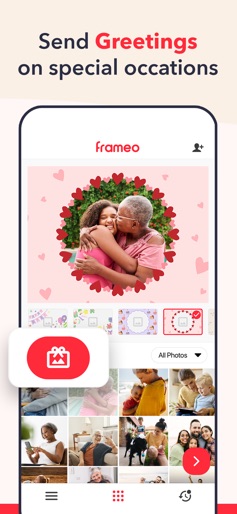
Frameo is an easy way to share your photos with the people you love. Send photos directly from your smartphone to a Frameo WiFi digital photo frame and allow friends and family to enjoy your best moments. Send photos to everyone you love from your family vacation in Spain or allow grandparents to enjoy the big and small experiences of their grandchildren. With the app you can send pictures and videos to all your connected Frameo WiFi picture frames wherever you are in the world. The photos will appear within seconds, so you can share the moments as they happen. Features: • Send photos to all your connected frames (10 photos at once). • Share video clips to your connected frames (15 second videos at a time). • Add a fitting caption to the photos or videos to fully portray your experience! • Use Greetings to make your photos extra special with graphical themes, whether it’s for a birthday, the festive season, Mother’s Day, or any special occasion throughout the year. • Easily connect all your friends and family members’ frames. • Instantly receive a notification, when the frame owner likes your photos! • Send safely with end-to-end encryption that ensures your photos, videos, captions and data stays safe and protected from falling into the wrong hands. • And much more! Frameo+: Everything you love - plus a little extra! Frameo+ is a subscription service and an enhanced version of the free Frameo app, designed to elevate your experience and introduce additional features and functionalities. There are two plans to choose from: $1.99 monthly / $16.99 yearly*. Don’t worry - Frameo will remain free-to-use and will continue to receive new features and improvements. With Frameo+ you will unlock these extra features: • See frame photos in the app Easily see your frame photos remotely within the Frameo app. • Manage frame photos in the app Remotely hide or delete frame photos & videos in the smartphone app with the frame owner’s permission. • Cloud Backup Safely backup your frame photos and videos with client-side encryption (available for up to 5 frames). • Send 100 Photos at once Send up to 100 photos at once, perfect for sharing all your vacation photos in a snap. • Send 2-Minute Videos Share even more moments with friends and family by sending longer video clips of up to 2 minutes in length. • Google Cast Cast photos from your frame to a TV via the app and enjoy them on an even bigger screen! Follow Frameo on social media: Facebook: @frameoapp Instagram: @frameo_app Youtube: @frameoapp Please note: The Frameo app only works with official Frameo WiFi photo frames. Find a Frameo photo frame retailer near you: frameo.com Stay updated on the latest features and improvements: frameo.com/releases *Prize may vary depending on country Privacy Policy: https://privacy.frameo.com Terms of Service: https://terms.frameo.com
Create screenshots like Frameo
Use FlyerBanana's free editor to create professional App Store screenshots inspired by Frameo's design. 100+ templates, device frames, and one-click export.