
App Store Screenshots (8)


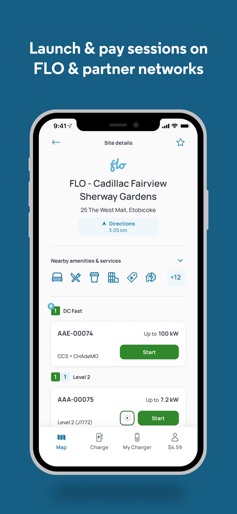

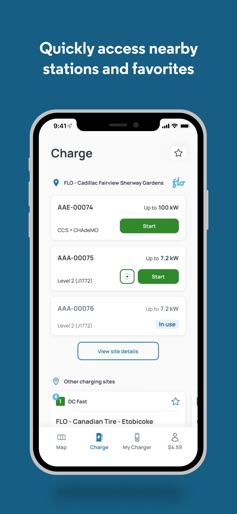
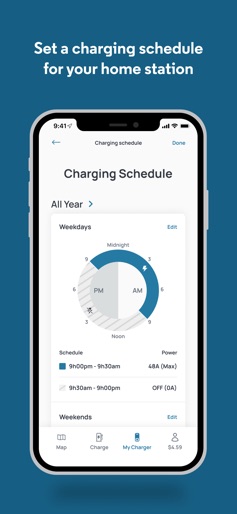

Design Analysis
Visual Design
Style: iOS Native
Key Features Shown
- •CarPlay Integration
- •Smart Home Charger Control
- •Real-time Session Tracking
- •Connector Type Filtering
- •Partner Network Mapping
App Insights
Target: Electric vehicle owners in North America (primarily Canada) looking for public charging infrastructure and smart home charging management.
- •Pay-per-use charging fees
- •Membership-based discounts
- •Hardware sales (FLO Home X5)
- •Network partner roaming fees
ASO Keywords:
About FLO EV Charging
FLO EV, Electric Drivers' Life made easy Charge on North America’s leading EV charging network: • Quickly locate stations and see their real-time availability • Save favorites and nearby stations • Get access to our partner networks, all in one app Download the app and charge right away: • Load funds with your credit card, Apple Pay™ • Save money on charging fees with a free FLO membership • Or pay on the go with your credit card: no account necessary Seamlessly connect your FLO Home X5: • Get real-time status • Set a charging schedule to avoid peak periods and save money • Track energy consumption and charging history Our app is designed and built by teaming up with real EV owners. Use the contact link in the app to tell us what you think we should be working on, we’re all ears. We are on a mission to deliver the best charging experience to EV drivers on the road, at home, and at work.
Create screenshots like FLO EV Charging
Use FlyerBanana's free editor to create professional App Store screenshots inspired by FLO EV Charging's design. 100+ templates, device frames, and one-click export.