

App Store Screenshots (5)



Design Analysis
Visual Design
App Insights
About Escape Rooms: Room Escape
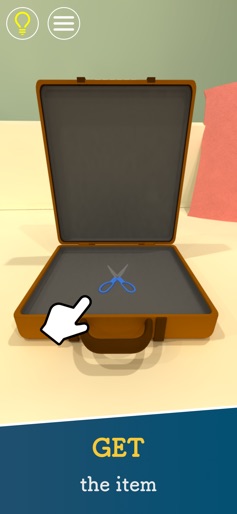
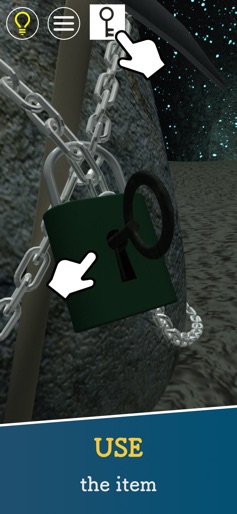
□■An escape game with a total of 20 million downloads■□ Let’s solve the mysteries and escape from the rooms! New stages are added approximately twice a month, so you can enjoy them for a long time with one download. There are various difficulty levels, so even those who have never played an escape game can easily play. There are tag stages where you can solve the mysteries in co-op with your friends and family. *Tag play requires the game to be installed on each device and a strong internet connection. ◆Introduction of useful functions◆ ・Camera Function Without taking notes or memorizing, you can use the camera to take pictures and check anytime. It helps you play stress-free. ・Hint Function Even if you get stuck while solving a mystery, you can easily find out the answer if you have a hint. You can review hints, answers and explanations of the riddles. ・Backup Function When switching devices, you can restore the data on the new device by taking an immediate backup. ・Tag Stages Tag stages are where two people work together to solve a mystery. Try to escape by sharing hints and items with each other on the screen. Tag stages can be played single-player as well. ・Extra Mini-Game You can play mini-games as a bonus after escaping from the normal stages. You can enjoy finding the differences and mistakes in the normal stages and solving short and simple puzzles in the tag stages. ◆Escape games manual◆ ・Move around Tap the area you want to check or tap the arrows at the bottom of the screen ・Search Tap the area you want to look at closely and check ・Select items Tap the icon of the item on the top and select ・Use items Tap the screen while the item icon is selected ・Expanded view of items Double-tap the item icon ・Use items on other items While the item is enlarged, select another item and tap on the enlarged item ・Display hints Select the hint button on the top left of the screen ◆Materials used for the development of escape games◆ Planning, Developing, 3D Graphics, Scenarios, CV: Nakayubi Corporation Music: 魔王魂 効果音ラボ ポケットサウンド 甘茶の音楽工房 OtoLogic Music is VFR “Sound effects obtained from https://www.zapsplat.com” http://music.nonono.jp twitter: @HarukiRyohei @NAKAYUBI_CORP instagram: @nakayubi_corp
Create screenshots like Escape Rooms: Room Escape
Use FlyerBanana's free editor to create professional App Store screenshots inspired by Escape Rooms: Room Escape's design. 100+ templates, device frames, and one-click export.










