

Employee Link - Timesheets
Magnify Technologies Inc
Create Screenshots Like Employee Link - TimesheetsApp Store Screenshots (9)




Design Analysis
Visual Design
App Insights
About Employee Link - Timesheets
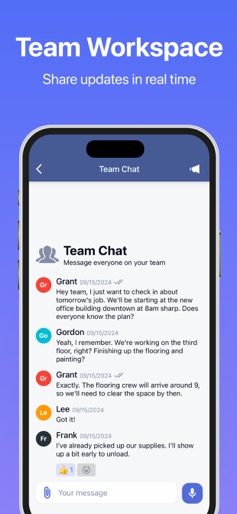
Organizes employee timesheets and scheduling. Simplifies employee time management and makes payday easy! Employee Link – Timesheet App, Work Hours Tracker, and Shift Scheduler Employee Link is the all-in-one timesheet app and work hours tracker designed for managing mobile teams, scheduling shifts, and simplifying payroll. This hours tracker app includes a powerful clock in and out system, GPS location tracking, and smart schedule planning tools. Key Features: ・Timesheet app for accurate clock in and out tracking ・Work hours tracker with detailed shift logs and overtime tracking ・Smart shift scheduler with visual calendar and task assignments ・GPS-based attendance tracking for on-site verification ・Paycheck calculator to estimate gross pay and hours worked ・Project-based time logging for labor cost monitoring ・Built-in crew messaging for real-time communication ・Push notifications for schedule updates and task reminders ・Exportable timesheets and payroll summaries (PDF/email) ・Simple time clock interface for field employees ・Free hours tracker app with no hidden fees Why Choose This Timesheet and Scheduling App? Employee Link offers everything needed to manage workforce scheduling and time tracking in one place. From GPS-enabled clock in and out to a complete hours tracker and timesheet manager, this app simplifies labor management and improves team productivity. Ideal for field teams, contractors, and mobile workforces. Who Should Use This Work Hours Tracker App? ・Teams needing a reliable timesheet app for daily clock ins ・Managers looking for a visual shift scheduler and crew planner ・Businesses tracking time by project and calculating labor costs ・Field workers needing a quick and simple time clock tool ・Employers wanting to organize timesheets for easy payroll Start organizing your mobile workforce with the leading timesheet and hours tracker app. Download Employee Link to manage shifts, track hours, and simplify payroll – all in one app. Privacy Policy https://www.employeelinkapp.com/privacy-policy Terms of Use https://www.employeelinkapp.com/terms
Create screenshots like Employee Link - Timesheets
Use FlyerBanana's free editor to create professional App Store screenshots inspired by Employee Link - Timesheets's design. 100+ templates, device frames, and one-click export.











