
App Store Screenshots (8)




Design Analysis
Visual Design
App Insights
About Doodle God: Infinite Craft 3D
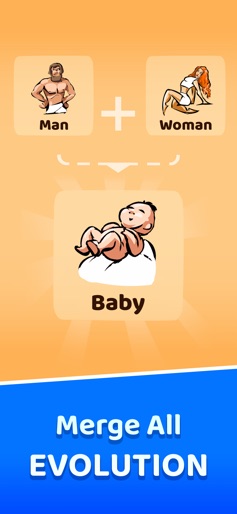
Do you enjoy interesting sandbox simulator games? Doodle God is an alchemy simulation game that lets you be a god to create your own world. This god simulator alchemy game allows you to mix and combine elements like fire, earth, wind, and air just like an alchemist to go all the way through evolution from the first microorganism to creating civilization! UNLEASH YOUR INNER GOD AND PLAY THE DOODLE GOD Over 190 Million Players Worldwide of ALL ages have played the Doodle God universe! The universe was not created in one day. In this addictive alchemy game, merge different combinations of elements to create new ones. Playing god is interesting, but creating new worlds is not an easy puzzle, so you will have to be creative to get the hang of a little alchemy. As you create each element watch your world come alive as each element animates on your planet. You’ll have to work your way up from a simple microorganism to creating animals, tools, storms and even build armies before you have what it takes to build the universe! But beware, the power of creation may have unintended consequences, inventing the wheel might just trigger a zombie plague… Don’t worry, you are not alone on this cosmic journey! Every time you successfully create a new item you’ll be rewarded with the wit and wisdom of some of the greatest philosophers and comedians of all time. Unleash your inner god with Doodle God! The new “Planet” mode offers a new way to create a universe of your dreams, like a god simulator game. As you successfully combine elements watch your planet come alive as you play. Watch Volcanoes and Skyscrapers appear before your eyes! NEW GAMEPLAY FEATURES -New F2P mode & new gameplay features. -One build for your phone and tablet. -The ability to turn off Ads! -Now available in 13 languages: English, Dutch, French, Spain, Italian, Russian, Japanese, Chinese, Korean, Portuguese, Swedish, Polish & German. -NEW Visual “Planet” Mode allows players to see their planet come alive as you play. -NEW “Mission” Mode offers new challenging puzzles -New Artifacts Mode: Collect ancient artifacts like Stonehenge created by amazing triple reactions. -Mold fire, wind, earth and air to create the Universe. -Combine elements to create 300+ advanced items and concepts. -Hundreds of interesting, funny and thought-provoking quotes and sayings. -New “Puzzle” mode. Create locomotives, sky scrapers and more -New “Quests” mode. Can you save the Princess or escape a Desert Island? -New reactions with existing elements and episodes. -New achievements. -New Elements encyclopedia with wikipedia links. -Improved mini-games for arcade fans. So if you like alchemy or evolution games, this game is for you. Follow us to get early access to exclusive content, price drops and updates: LIKE: www.facebook.com/doodlegod FOLLOW: www.twitter.com/joybitsmobile
Create screenshots like Doodle God: Infinite Craft 3D
Use FlyerBanana's free editor to create professional App Store screenshots inspired by Doodle God: Infinite Craft 3D's design. 100+ templates, device frames, and one-click export.










