
App Store Screenshots (8)


Design Analysis
Visual Design
App Insights
About Color Fill 3D
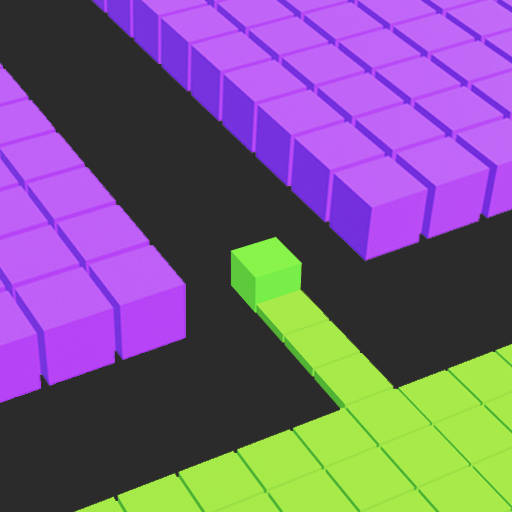
Color Fill 3D color block is an engaging and captivating mobile puzzle game that offers hours of artistic fun and mental relaxation. In this delightful and visually pleasing 3D block color puzzle game, you’ll find yourself in control of a vibrant cube navigating through a grid-like field composed of numerous cells. Your mission is simple yet intriguing: guide your cube across the field to fill each cell with a burst of vivid colors. This block 3d puzzle game offers a variety of challenging levels, each progressively pushing your strategic thinking and visual coordination skills to new heights. With every stage, the field becomes more complex, urging you to plan your moves wisely and ensure every cell is filled with color. Why you’ll love Color Fill 3D - color blocks puzzle game: - Unique puzzle game gameplay - Easy controls - Amazing 3D color block game graphics Color Fill 3D features intuitive swipe controls, making it easy to navigate the cube around the field. The 3D graphics are stunning, immersing players into an absorbing world of color. With a relaxed pace this game provides a calming yet stimulating gaming experience. Enjoy an infinite number of exciting levels that will test your puzzle-solving abilities and add a splash of color to your free time. It’s a simple, relaxing, yet challenging game that is perfect for players of all ages. Get ready to dive into the color blocks world of Color Fill 3D puzzle game, where every level is a unique, colorful puzzle waiting to be solved! Privacy Policy: https://aigames.ae/policy Terms of Use: https://azurgames.com/terms-of-use/
Create screenshots like Color Fill 3D
Use FlyerBanana's free editor to create professional App Store screenshots inspired by Color Fill 3D's design. 100+ templates, device frames, and one-click export.










