
App Store Screenshots (6)


Design Analysis
Visual Design
App Insights
About Coin Identifier: Collector App
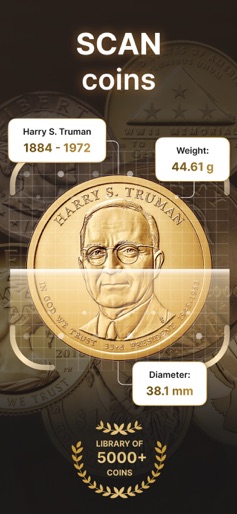
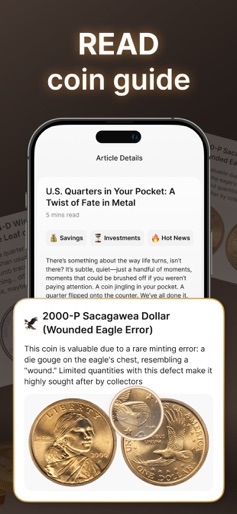
Discover the World of Coins, Banknotes, and Exonumia with our Coin Scanner: Collector App ! Your all-in-one app for identifying, valuing, and managing your coin, banknote, and exonumia collection. Whether you're an experienced numismatist or just starting out, Coin Scanner: Banknote & Exonumia helps you explore and understand the fascinating world of money with ease and precision. Identify Any Coin Instantly Just snap a picture or upload an image—Coin Scanner uses powerful AI to identify any coin in seconds. Whether it’s an ancient artifact, modern currency, or a rare minting, the app provides detailed insights, including denomination, year, country, metal composition, and more. Explore CoinFacts & Coin Guide Dive deep into our growing CoinFacts library—an educational resource packed with historical information, interesting facts, and expert insights. Our Coin Guide helps you learn about the evolution, rarity, and significance of coins, banknotes, and exonumia from around the world. Perfect for both curious learners and serious collectors. Check Coin Price & Market Value Get real-time updates on Coin Price and market value. Whether you're buying, selling, or just curious, the Check Value feature gives you access to up-to-date pricing trends, based on global collector market data. Make smart decisions with confidence. Manage Various Coin Collections Effortlessly manage your collection using intuitive tools. Add photos, notes, and personal details to keep track of your various coin collections. Whether it's ancient Roman coins, American cents, commemorative banknotes, or tokens and medals (exonumia), everything stays organized in one place. Covers Coins, Banknotes, and Exonumia From classic coins and rare banknotes, to tokens, medallions, and other exonumia, this app is designed to support every area of numismatics. Coin Scanner: Banknote & Exonumia covers both mainstream and obscure items to help you identify and appreciate them all. Key Features - Instant Identification via camera or gallery - Comprehensive Database with global coverage - Accurate Market Values for collectibles - User-Friendly Interface for all experience levels - Smart Collection Manager for easy tracking Why Choose Coin Scanner: Banknote & Exonumia? - Advanced Recognition Technology for unmatched precision - Regular Data Updates to reflect current market trends - Trusted Resource for hobbyists, collectors, and investors alike Terms of Use: https://codabrasoft.com/home/terms-html Privacy Policy: https://codabrasoft.com/home/privacy-html Support: info@codabrasoft.com
Create screenshots like Coin Identifier: Collector App
Use FlyerBanana's free editor to create professional App Store screenshots inspired by Coin Identifier: Collector App's design. 100+ templates, device frames, and one-click export.










