

App Store Screenshots (4)

Design Analysis
Visual Design
Style: iOS Native
Key Features Shown
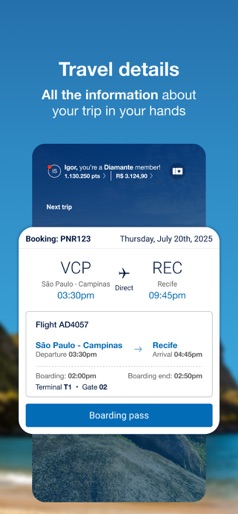
- •Flight Booking
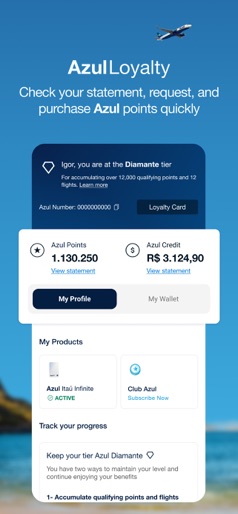
- •Loyalty Status (Diamante)
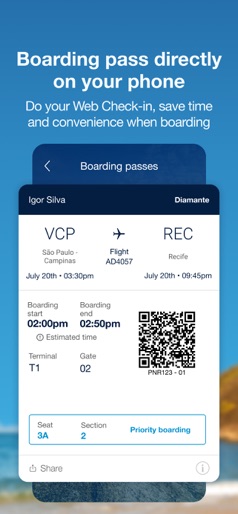
- •Digital Boarding Pass
- •Point Statement
- •Product Management (Azul Itaú/Club Azul)
App Insights
Target: Domestic Brazilian travelers and international tourists flying within or to Brazil.
- •Direct sales (flights)
- •Ancillary services (baggage, seat selection)
- •Loyalty program (Azul Loyalty/TudoAzul)
- •Subscription (Club Azul mentioned in screenshots)
ASO Keywords:
About Azul
Discover the Azul Linhas Aéreas app! Traveling with Azul has become even easier and more convenient with our app. Check out the main benefits and features we have prepared for you: - Plan Your Trip Find the best deals and make your reservations quickly and securely. - My Reservations Access your reservations and manage your upcoming trips. Now, you can handle all the details more easily, such as purchasing baggage in advance, buying and reserving seats, or getting answers to your questions. - Online Check-in Check in online and save time at the airport. - Digital Boarding Pass Access your boarding pass directly through the app and board with ease. - Azul Loyalty Manage your points and redeem exclusive benefits from our loyalty program in a dedicated area in My Account. - Exclusive Offers Stay updated on promotions and special offers directly on your phone. Send us your feedback and help us make this version even more personalized for you, Azul Customer. Download now and enjoy the best travel experience with Azul Linhas Aéreas!
Create screenshots like Azul
Use FlyerBanana's free editor to create professional App Store screenshots inspired by Azul's design. 100+ templates, device frames, and one-click export.
More Maps & Navigation Apps
View all

United Airlines
Maps & Navigation


Google Maps
Maps & Navigation


Southwest Airlines: Travel App
Maps & Navigation


The Weather Channel - Radar
Maps & Navigation


Expedia: Hotels, Flights, Cars
Maps & Navigation


Waze Navigation & Live Traffic
Maps & Navigation