

App Store Screenshots (10)

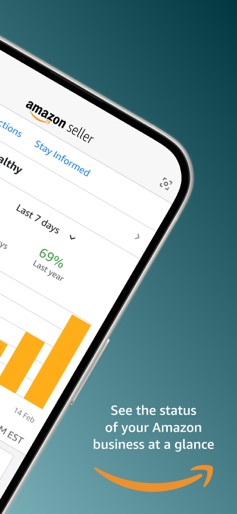


Design Analysis
Visual Design
Style: iOS Native
Key Features Shown
- •Sales Performance Dashboard
- •Store Health Monitoring
- •Product Sourcing/Search
- •AI-Powered Listing Generation
- •Inventory Management
App Insights
Target: E-commerce entrepreneurs, third-party resellers, brand owners, and retail arbitrage practitioners ranging from hobbyists to enterprise-level organizations.
- •Marketplace Commission (Referral Fees)
- •Monthly Subscription Fees (Professional Seller Accounts)
- •Fulfillment Fees (FBA)
- •Advertising (Sponsored Products/Brands)
ASO Keywords:
About Amazon Seller
Manage Your Amazon Seller Central account with the Amazon Seller App on the go. Stay up-to-date of your orders, inventory, advertising campaigns, and sales, even when you're away from your computer. This app is an essential companion for millions of sellers on Amazon. Key Features: - Analyze Sales: Drill down into product-level sales data; and track your store traffic, sales, and conversion trends over time. - Find Profitable Products: Leverage visual search, barcode scanning, and data insights to discover new products to sell. - List New Products: Create new offers or add new products to your Amazon catalog. - Manage Your Inventory: Access real-time, product-level inventory and pricing details. Easily adjust your merchant-fulfilled (MFN) quantities or view the status of your Fulfillment by Amazon (FBA) inventory, including inbound shipments. Make pricing changes and view associated fees to stay competitive. - Manage Orders & Returns: Get notified when you receive new orders. View your pending orders, confirm shipments. Authorize or close returns, issue refunds, and modify returns settings. - Monitor Account Health: Stay informed on the health of your Amazon seller account and take actions to address issues. - Manage Sponsored Advertising Campaigns: Monitor your campaign impressions, sales, and conversions; Make adjustments to campaign budget and keywords. - Respond to Customers: Use customizable templates to quickly reply to customer messages. - Create Listing Photos: Capture and edit high-quality product photos right from your mobile device. - Have a question about selling on Amazon? Use the app to contact Seller Support. With the Amazon Seller app, you can monitor and streamline operations, make informed decisions, and grow your Amazon business anywhere. Requirements: iOS 15.0+ By using this app, you agree to Amazon’s Conditions of Use (www.amazon.com/conditionsofuse) and Privacy Notice (www.amazon.com/privacy).
Create screenshots like Amazon Seller
Use FlyerBanana's free editor to create professional App Store screenshots inspired by Amazon Seller's design. 100+ templates, device frames, and one-click export.











