
App Store Screenshots (6)


Design Analysis
Visual Design
App Insights
About 3 Tiles: Connect Tile Matching
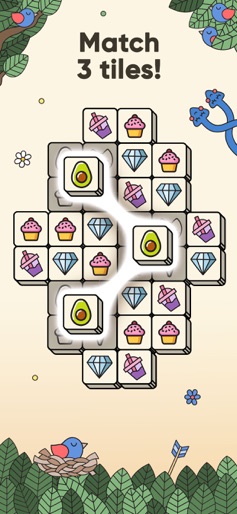
3 TILES will make you fall in love with brain & attention puzzle games. 3 TILES is the best way to switch your mind, relax, and entertain after studies or working days. Long waiting for an appointment or a flight? It won't bother you anymore. You can easily make that time enjoyable. 3 TILES will become your chill resort. Ultimate relaxation and brain teaser kit is always at hand for you. 3 TILES will remind you of good-old Mahjong from your childhood. And we’ve taken it to a completely new level. It is easy and simple to pick up. At the same time it is exciting, catching, and intriguing to play. HOW TO PLAY GOAL. Your goal is to clean the playing field. PLAY. Just tap to place the tiles into the stack. Three same tiles, for instance, three strawberries, will be matched. WIN. When the playing field is cleared, you win! LOSS. You are stuck and fail, if you don't get a merge for seven tiles. Remember: You have a maximum of seven moves to make one combination of three tiles! 3 TILES FEATURES: LEVELS. More than 700 challenging levels. And we always come up with something new. You have no chance to get bored! EVENTS. Fascinating time-limited events with unique settings and little marvels for special occasions. Celebrations are always special with 3 TILES. THEMES. Numerous stunning game themes from fruits and flowers to travel and space. Are you up for diving underwater or experiencing Wild-Wild West? We have it all. Btw, if you have a theme idea, feel free to tell us. COLLECTIONS. Collector's dream. Each game theme has a surprise for you. Play and find the hidden parts of a puzzle. Make an exclusive card complete! GREAT LUCK. Are you a child of fortune? Take your chances. Spin the Wheel of Fortune and win amazing prizes. SPECIALTIES. Secret tiles and jockers. Yes, we know how to keep you excited! Play and find out how it works! BOOSTERS. If you get stuck you can always use our boosters: hint, undo, and shuffle. Keep calm and play on! 3 TILES welcomes you in the amazing chill tiles matching world. Join us on Instagram: https://www.instagram.com/3tiles_game/ Join us on Facebook: https://www.facebook.com/3Tiles.game Privacy Policy: https://docs.appsyoulove.com/policies/privacy-policy Terms of Use: https://docs.appsyoulove.com/policies/terms-of-use
Create screenshots like 3 Tiles: Connect Tile Matching
Use FlyerBanana's free editor to create professional App Store screenshots inspired by 3 Tiles: Connect Tile Matching's design. 100+ templates, device frames, and one-click export.










