

WFP 303 Hybrid watch face
WFProduction by Alexandr Kovalev
App Store Screenshots (48)


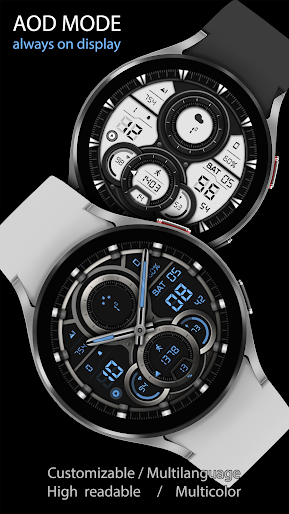


About WFP 303 Hybrid watch face
This watch face supports Wear OS devices. Watch face installation instructions: https://samsung-watchface.com/instructions If you want to use phone charge widgets, information about calories, floors, etc., follow the link for instructions: https://samsung-watchface.com/settings Promotion - Buy 1 - Get 1 free: https://samsung-watchface.com/buy1-get1 FEATURES> - 6 complications and widgets; - Light or dark windows; - 30 windows colors; - 10 background colors; - 10 frames color; - 6 types of bezel; - 6 types of hands; - Complete disabling of the hands; - Distance Km / Miles; - A high resolution; - High optimization; - Low battery consumption; - Multilingual; - 12/24 hour format; - No leading zero (for 12 hour time); - Weather in degrees Fahrenheit/Celsius; - AOD mode. FOLLOW THE NEWS AND PROMOTIONS: WEB: https://samsung-watchface.com TELEGRAM: https://t.me/SamsungWFP FACEBOOK: https://www.facebook.com/groups/wearoswatchfaces INSTAGRAM: https://www.instagram.com/wearos_watchfaces?igsh=ZGhoOXQwMjV4MWEw Sincerely, Alexandr Kovalev.
Create screenshots like WFP 303 Hybrid watch face
Use FlyerBanana's free editor to create professional App Store screenshots inspired by WFP 303 Hybrid watch face's design. 100+ templates, device frames, and one-click export.