
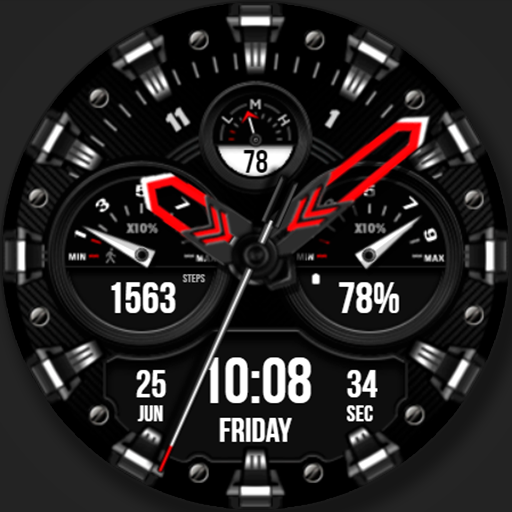
WFP 225 Hybrid watch face icon

WFP 225 Hybrid watch face

WFProduction by Alexandr Kovalev

Lifestyle
4.5(3.6K ratings)
Free
Create Screenshots Like WFP 225 Hybrid watch face

App Store Screenshots (41)

WFP 225 Hybrid watch face screenshot 1
WFP 225 Hybrid watch face screenshot 2
WFP 225 Hybrid watch face screenshot 3
WFP 225 Hybrid watch face screenshot 4
WFP 225 Hybrid watch face screenshot 5
WFP 225 Hybrid watch face screenshot 6
WFP 225 Hybrid watch face screenshot 7
WFP 225 Hybrid watch face screenshot 8
WFP 225 Hybrid watch face screenshot 9
WFP 225 Hybrid watch face screenshot 10
WFP 225 Hybrid watch face screenshot 11
WFP 225 Hybrid watch face screenshot 12
WFP 225 Hybrid watch face screenshot 13
WFP 225 Hybrid watch face screenshot 14
WFP 225 Hybrid watch face screenshot 15
WFP 225 Hybrid watch face screenshot 16
WFP 225 Hybrid watch face screenshot 17
WFP 225 Hybrid watch face screenshot 18
WFP 225 Hybrid watch face screenshot 19
WFP 225 Hybrid watch face screenshot 20
WFP 225 Hybrid watch face screenshot 21
WFP 225 Hybrid watch face screenshot 22
WFP 225 Hybrid watch face screenshot 23
WFP 225 Hybrid watch face screenshot 24
WFP 225 Hybrid watch face screenshot 25
WFP 225 Hybrid watch face screenshot 26
WFP 225 Hybrid watch face screenshot 27
WFP 225 Hybrid watch face screenshot 28
WFP 225 Hybrid watch face screenshot 29
WFP 225 Hybrid watch face screenshot 30
WFP 225 Hybrid watch face screenshot 31
WFP 225 Hybrid watch face screenshot 32
WFP 225 Hybrid watch face screenshot 33
WFP 225 Hybrid watch face screenshot 34
WFP 225 Hybrid watch face screenshot 35
WFP 225 Hybrid watch face screenshot 36
WFP 225 Hybrid watch face screenshot 37
WFP 225 Hybrid watch face screenshot 38
WFP 225 Hybrid watch face screenshot 39
WFP 225 Hybrid watch face screenshot 40
WFP 225 Hybrid watch face screenshot 41

Design Analysis

Visual Design

Style: Custom

Colors:
accent
primary
secondary
Multi-dial layoutStep-by-step tutorial overlayGrid of color variants

Key Features Shown

  • Hybrid Analog-Digital Display
  • Step Counter
  • Battery Indicator
  • Heart Rate Monitor
  • Customizable Color Themes
  • Date and Day Display

App Insights

Target: Wear OS smartwatch owners looking for premium, highly customizable hybrid (analog/digital) aesthetics with a focus on data density.

Monetization:
  • External Storefront Sales
  • Lead Generation for Paid Designs
  • Promotional Bundles (Buy 1 Get 1)

ASO Keywords:

Hybridwatchface

About WFP 225 Hybrid watch face

This watch face supports Wear OS devices. Watch face installation instructions: https://samsung-watchface.com/instructions Watch face settings and recommendations: https://samsung-watchface.com/settings Promotion - Buy 1 - Get 1 free: https://samsung-watchface.com/buy1-get1 FEATURES> - Night mode; - A high resolution; - High optimization; - Low battery consumption; - Multilingual; - 12/24 hour time format; - Changeable colors; - Custom applications and widgets; - Customizable AOD mode. FOLLOW THE NEWS AND PROMOTIONS: WEB: https://samsung-watchface.com TELEGRAM: https://t.me/SamsungWFP FACEBOOK: https://www.facebook.com/groups/wearoswatchfaces INSTAGRAM: https://www.instagram.com/wearos_watchfaces?igsh=ZGhoOXQwMjV4MWEw Sincerely, Alexandr Kovalev.

Create screenshots like WFP 225 Hybrid watch face

Use FlyerBanana's free editor to create professional App Store screenshots inspired by WFP 225 Hybrid watch face's design. 100+ templates, device frames, and one-click export.

More Lifestyle Apps

View all

Frequently Asked Questions

How can I create screenshots like WFP 225 Hybrid watch face?
You can create App Store screenshots inspired by WFP 225 Hybrid watch face using FlyerBanana's free screenshot editor. Choose from 100+ templates, customize colors, text, and device frames, then export in all required sizes.
What screenshot sizes does WFP 225 Hybrid watch face use?
WFP 225 Hybrid watch face uses standard App Store screenshot sizes including 6.7" (1290×2796px), 6.5" (1284×2778px), and 5.5" (1242×2208px) for iPhones. FlyerBanana supports all required sizes with one-click export.
Can I use WFP 225 Hybrid watch face's screenshot style for my app?
Yes! While you shouldn't copy screenshots directly, you can use WFP 225 Hybrid watch face's design patterns as inspiration. FlyerBanana's templates let you create professional screenshots with similar layouts, color schemes, and visual styles.
What makes good Lifestyle app screenshots?
The best Lifestyle app screenshots clearly showcase key features, use consistent branding, include compelling copy, and follow App Store guidelines. Browse our Lifestyle inspiration gallery to see what top apps do well.







