
App Store Screenshots (5)

Design Analysis
Visual Design
App Insights
About Universal Remote TV Control
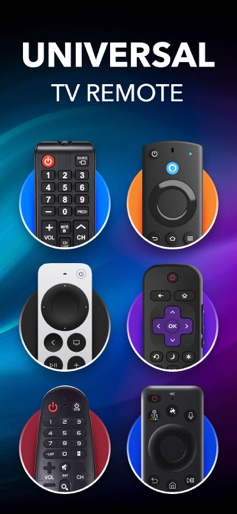
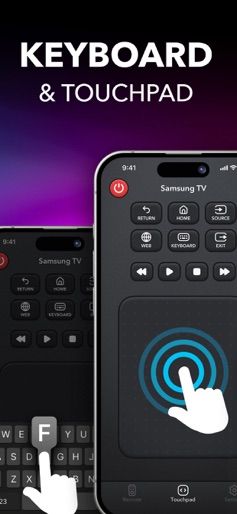
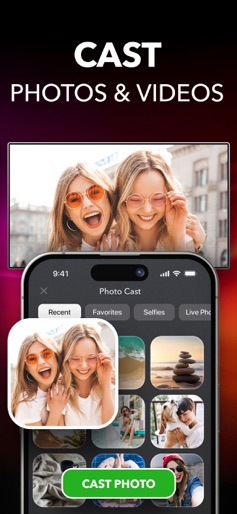
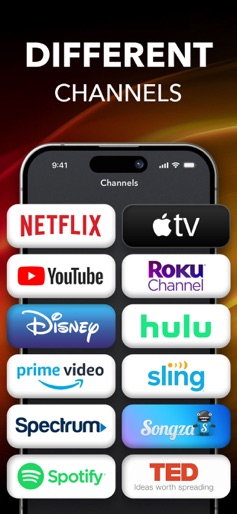
A TV remote always going missing? Or you just can’t stand the very sight of this old-school device anymore? Then you are in the right place—using a remote control app on your phone will save you all these headaches. Universal Remote TV Control brings watching TV to a new level! It’s a handy no-frills application that lets you control a web-connected TV set from your iPhone. The app copies the functionality of the handheld remote and allows you to rule over everything: channels list, volume, menu, info, tools, and other controls (Play/Pause/Stop, etc.). It works with the most popular brands—Samsung, LG, Sony, Philips, Panasonic, Vizio, TCL, Toshiba, Xfinity, Insignia, Hisense, Element etc.—and supports TV models of different years of production and screen size. The only thing required is to connect your iPhone and your TV device to the same Wifi network—and your touchscreen will turn into a navigation pane with all the functions of the usual remote. FEATURES: • Quick and simple to use: the app serves as the physical remote and is always at hand • Automatic customization: makes things a bit more user-friendly to set up • Haptic feedback: gives this awesome vibration and sense of realism • Nice responsive touchpad: for the aesthetically pleasing look, feel, and touch • Keyboard input: makes TV searching a no-brainer • Works through WIFI: the app automatically detects any TVs on your network for you to control everything smartly with your phone Universal Remote TV Control is a full-featured mobile version of a physical TV remote that makes your life much easier. No need to get up from the couch and go for the remote or firestick or to buy a new one in case you lost it. Sync the app with your device to browse your favorite shows, movies, and programs easily with a phone. Make the most out of technology for your better smarter life! Disclaimer: Universal Remote TV Control is NOT the official application of Samsung, LG, Sony, Philips, Panasonic, Vizio, TCL, Toshiba, Xfinity, insignia, Hisense, Roku, Fire TV, Element and it is NOT affiliated with or endorsed by these or any other companies. For complete access to all Universal Remote TV Control features, you will need to subscribe to Premium. For Smart TVs / Devices, the only setting required is to connect your phone as well as your Smart TV / Device to the same Wifi network. For IR(Infared) TVs, your phone must have a built-in Infrared (IR) feature for the app to work as a remote control. SUBSCRIPTION INFORMATION: Payment will be charged to iTunes Account at confirmation of purchase. Subscription automatically renews unless auto-renew is turned off at least 24-hours before the end of the current period. The cost of the renewal depends on your subscription plan. Subscriptions may be managed and auto-renewal can be turned off in the user’s Account Settings. Any unused portion of a free trial period (if offered) will be forfeited when you purchase a premium subscription during the free trial period. Privacy Policy: https://remotetv.app/privacy-policy.html Terms of Use: https://remotetv.app/terms-of-use.html
Create screenshots like Universal Remote TV Control
Use FlyerBanana's free editor to create professional App Store screenshots inspired by Universal Remote TV Control's design. 100+ templates, device frames, and one-click export.
More Entertainment Apps
View all

YouTube
Entertainment


Spotify: Music and Podcasts
Entertainment


TikTok - Videos, Shop & LIVE
Entertainment


Pandora: Music & Podcasts
Entertainment


Shazam: Find Music & Concerts
Entertainment


Photo Lab Picture Editor & Art
Entertainment