

App Store Screenshots (4)

Design Analysis
Visual Design
App Insights
About TokyoCatch
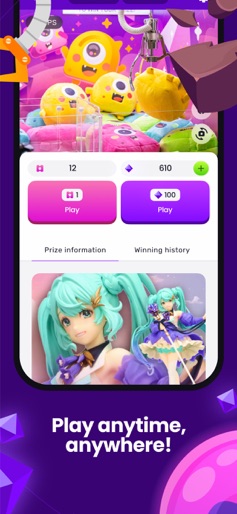
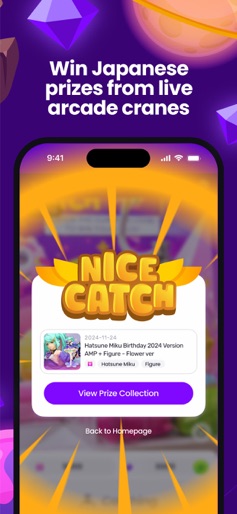
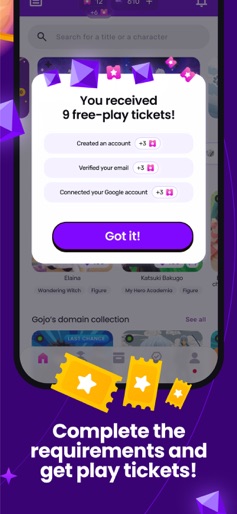
Looking for an exciting live claw machine game that lets you win actual prizes? Look no further than TokyoCatch! Our app offers authentic Japanese crane games, including UFO catchers, that you can play from the comfort of your own home. With TokyoCatch, you can enjoy: A wide selection of real claw machine games, UFO catchers, and crane games with actual prizes you can win and have shipped directly to your home Daily logins to earn free tickets to play live crane games Easy international shipping for prizes you win Connect your Facebook or Google account to get 3 free plays on our live claw machines Quick, responsive customer service to help with any issues Win limited edition Japanese figures and plushies TokyoCatch is the ultimate destination for fans of claw machines, crane games, and UFO catchers. With our app, you can experience the excitement of a real Japanese arcade without leaving your home. Download TokyoCatch today and start winning real prizes on our live claw machine games!! If you have any questions or feedback, reach out to us at support@tokyocatch.com or on social media @tokyocatch. Note: Please be aware that TokyoCatch uses live video streaming to link you to real crane machines in Japan. To prevent video streaming delays, please ensure you use a reliable internet connection. Rating IGRS (Indonesia): 18+
Create screenshots like TokyoCatch
Use FlyerBanana's free editor to create professional App Store screenshots inspired by TokyoCatch's design. 100+ templates, device frames, and one-click export.
More Entertainment Apps
View all

YouTube
Entertainment


Spotify: Music and Podcasts
Entertainment


TikTok - Videos, Shop & LIVE
Entertainment


Pandora: Music & Podcasts
Entertainment


Shazam: Find Music & Concerts
Entertainment


Photo Lab Picture Editor & Art
Entertainment