
Tic Tac Toe 2 Player: XO Game icon

Tic Tac Toe 2 Player: XO Game

Onetap Global

Board Game
4.7(2.2K ratings)
Free
Create Screenshots Like Tic Tac Toe 2 Player: XO Game

App Store Screenshots (5)

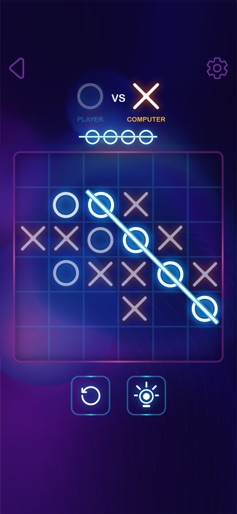
Tic Tac Toe 2 Player: XO Game screenshot 1
Tic Tac Toe 2 Player: XO Game screenshot 2
Tic Tac Toe 2 Player: XO Game screenshot 3
Tic Tac Toe 2 Player: XO Game screenshot 4
Tic Tac Toe 2 Player: XO Game screenshot 5

Design Analysis

Visual Design

App Insights

About Tic Tac Toe 2 Player: XO Game

Play Tic Tac Toe Glow - XOXO on your iOS devices. No need to waste paper to play puzzle games! Now you can play Tic Tac Toe Glow - XOXO on your iOS devices for free. Our new modern version appears in an excellent glow design. The AI for this puzzle game is one of the best you will see. It adapts to your play style and is highly unpredictable. Unlike other Tic Tac Toe Glow - XOXO games on the market, you will always find Glow Tic Tac Toe AI to be fresh and entertaining. So you can crank up the difficulty while playing or notch it down if you got cornered. This puzzles game is recommended for kids & adults too. Features : - Stunning UI, cool neon glow effects. - Various tic tac game difficulties: 3x3, 6x6, 9x9, 11x11 grids. - Support single-player оr multірlауеr (humаn аnd соmрutеr). - Online two-player games, challenge your friends. - Amazing design for your choice in the tic tac toe glow. Start to train your brain and solve an XOXO challenge in this tic tac toe two-player game that will explore your mental ability by thinking a few steps ahead!

Create screenshots like Tic Tac Toe 2 Player: XO Game

Use FlyerBanana's free editor to create professional App Store screenshots inspired by Tic Tac Toe 2 Player: XO Game's design. 100+ templates, device frames, and one-click export.


More Board Game Apps

View all

Frequently Asked Questions

How can I create screenshots like Tic Tac Toe 2 Player: XO Game?
You can create App Store screenshots inspired by Tic Tac Toe 2 Player: XO Game using FlyerBanana's free screenshot editor. Choose from 100+ templates, customize colors, text, and device frames, then export in all required sizes.
What screenshot sizes does Tic Tac Toe 2 Player: XO Game use?
Tic Tac Toe 2 Player: XO Game uses standard App Store screenshot sizes including 6.7" (1290×2796px), 6.5" (1284×2778px), and 5.5" (1242×2208px) for iPhones. FlyerBanana supports all required sizes with one-click export.
Can I use Tic Tac Toe 2 Player: XO Game's screenshot style for my app?
Yes! While you shouldn't copy screenshots directly, you can use Tic Tac Toe 2 Player: XO Game's design patterns as inspiration. FlyerBanana's templates let you create professional screenshots with similar layouts, color schemes, and visual styles.
What makes good Board Game app screenshots?
The best Board Game app screenshots clearly showcase key features, use consistent branding, include compelling copy, and follow App Store guidelines. Browse our Board Game inspiration gallery to see what top apps do well.
