

App Store Screenshots (6)



Design Analysis
Visual Design
App Insights
About Smart Home Manager
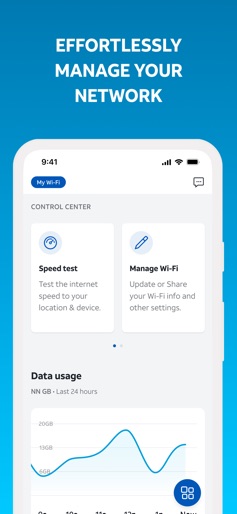
The AT&T Smart Home Manager app will guide you through a simple self-setup process for your new service. It also provides all the tools you need to manage your network in one intuitive, user-friendly interface. Sign in with your AT&T User ID and password to get started. App highlights: • Easily view, update, and share your Wi-Fi name and password • See what devices are connected, personalize each device name and add it to a profile • Set downtime schedules to manage your family’s screen time or quickly and easily pause devices • Get troubleshooting help and customized recommendations from our Virtual Assistant • Get device and network protection with AT&T ActiveArmor℠ internet security • Check your network health, get notified of issues and service outages, run speed tests, and more AT&T Smart Home Manager is available to AT&T Internet service customers with a compatible AT&T Wi-Fi Gateway. Feature availability based on Wi-Fi gateway model, limited to Wi-Fi network.
Create screenshots like Smart Home Manager
Use FlyerBanana's free editor to create professional App Store screenshots inspired by Smart Home Manager's design. 100+ templates, device frames, and one-click export.
More Productivity Apps
View all

Microsoft Outlook
Productivity


AVG AntiVirus & Security
Productivity


Screen Recorder - XRecorder
Productivity


Opera: Private Web Browser
Productivity


Parallel Space - app cloning
Productivity


Duolingo - Language Lessons
Productivity