

App Store Screenshots (8)




Design Analysis
Visual Design
Style: iOS Native
Key Features Shown
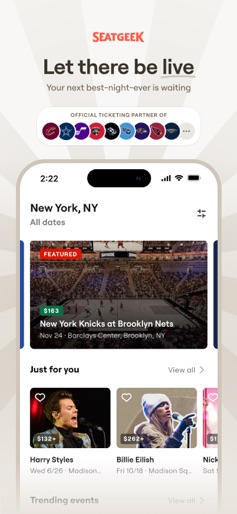
- •Official Ticketing Partner Logos
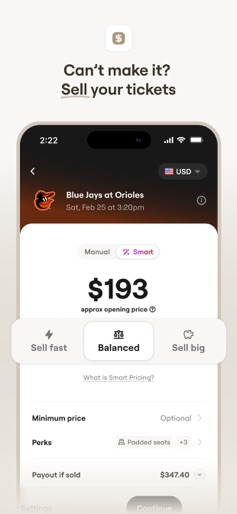
- •Mobile Ticket Management (View/Sell/Transfer)
- •Offline Barcode Access
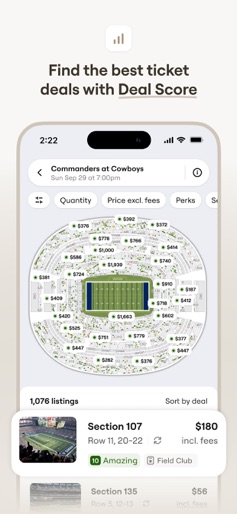
- •Interactive Seat Map with Deal Score
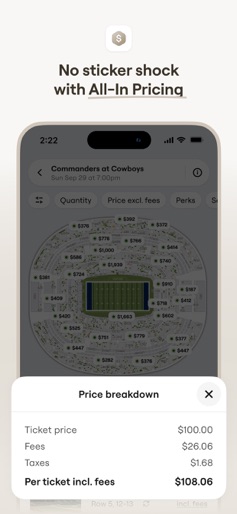
- •Transparent Price Breakdown
App Insights
Target: Live event enthusiasts, sports fans, concert-goers, and theater attendees primarily in North America looking for a transparent secondary ticket marketplace.
- •Transaction fees (Buyer side)
- •Commission fees (Seller side)
- •Partner integrations
ASO Keywords:
About SeatGeek - Buy Event Tickets
SeatGeek is the smartest way for fans to buy, sell and transfer tickets you can trust, no matter what you’re a fan of. Whether you’re searching for sporting events or sold out concerts, summer festivals or Broadway shows, we provide the tips and tools, like Deal Score and a Buyer Guarantee, to make your live event as memorable as possible. Find the right seats, at the right time, for the right price. After all, we’re fans, too. Features: Fan first Track your favorite teams and artists to be the first to know everything you need to know Sell or transfer tickets in just a couple taps Get a ticket and get in with a couple of taps. Simple. Value We do our best to match or beat what the other guys are offering for the same tickets We keep our fees low so you can get tickets to the things you love without breaking the bank Tell your friends about SeatGeek and when they buy their first tickets, you’ll both get credit toward future events. Innovative Deal Score rates every available seat based on price, section, visibility and more Rally provides all of the information you need to get there, get settled and get hyped, all from the same screen as your ticket From buying and selling to tracking and transferring, get it done on any device Trustworthy If something goes wrong, like your event gets canceled, we’ll give you your money back, or better See exactly what your View From Seat will be before you sit Search tickets with the fees already included, so you won’t be surprised when it comes time to pay for them CONNECT: Website – seatgeek.com Facebook – facebook.com/SeatGeek Twitter – twitter.com/SeatGeek Contact Us – seatgeek.com/contact
Create screenshots like SeatGeek - Buy Event Tickets
Use FlyerBanana's free editor to create professional App Store screenshots inspired by SeatGeek - Buy Event Tickets's design. 100+ templates, device frames, and one-click export.
More Entertainment Apps
View all

YouTube
Entertainment


Spotify: Music and Podcasts
Entertainment


TikTok - Videos, Shop & LIVE
Entertainment


Pandora: Music & Podcasts
Entertainment


Shazam: Find Music & Concerts
Entertainment


Photo Lab Picture Editor & Art
Entertainment