
App Store Screenshots (7)




Design Analysis
Visual Design
App Insights
About Roku Smart Home
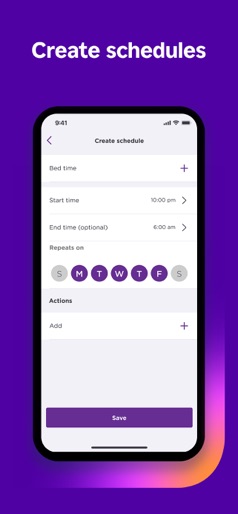
The simple way to a smarter home. The Roku Smart Home mobile app is the only smart home manager you need for your Roku Smart Home devices—indoor and outdoor home security cameras, video doorbells, smart bulbs, smart light strips, smart plugs, and more. Easily set up your smart home devices, customize your settings, and more all in the Roku Smart Home device manager. See all your devices in one place and group them to control your entire house at once. The Roku Smart Home mobile app is your one and only home camera app. With your smart home manager, you can easily set up Roku home security cameras and video doorbells and customize camera settings in a tap. Monitor your home from anywhere with the app—get instant motion or sound notifications when there’s activity, pull up live footage, and even have a chat with two-way audio. You can customize notifications and motion detection zones, so you only get the alerts you want. With a Roku Smart Home subscription, you can unlock cloud storage and view motion-triggered recordings for up to 14 days. Also included in the subscription is smart detection, which identifies people, pets, packages, and cars and allows you to filter alerts—so you only get the ones you decide are important.* Home security has never been this easy. Roku smart lights brighten up any space in your home with customizable LED bulbs and smart light strips. Your smart home manager also allows you to quickly and easily customize light settings for your smart bulbs and smart light strips with a tap. Change colors, save custom presets, adjust brightness, and create rules that put your lights on your schedule—even when you’re not home. With Roku smart plugs, control indoor lamps, outdoor holiday lights, or any compatible device remotely in the app. Customize your plug’s settings in your smart home manager to give your home power when you need it. Create custom schedules for your plugs to switch on or off. You’re in full control. When it comes to installing your smart home devices, your smart home manager makes setup a breeze. All Roku Smart Home products have a surprisingly simple guided setup in the Roku Smart Home mobile app. *Sign up for Roku Smart Home subscription by logging into your Roku account. Privacy Policy: go.roku.com/privacypolicy CA Privacy Notice: https://docs.roku.com/published/userprivacypolicy/en/us#userprivacypolicy-en_us-CCPA
Create screenshots like Roku Smart Home
Use FlyerBanana's free editor to create professional App Store screenshots inspired by Roku Smart Home's design. 100+ templates, device frames, and one-click export.











