

App Store Screenshots (7)




Design Analysis
Visual Design
App Insights
About Ridmik Keyboard
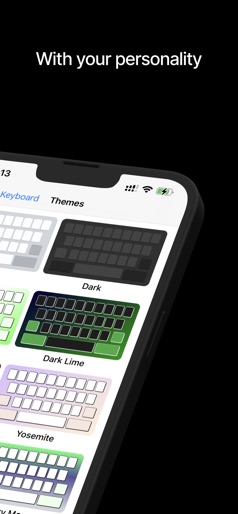
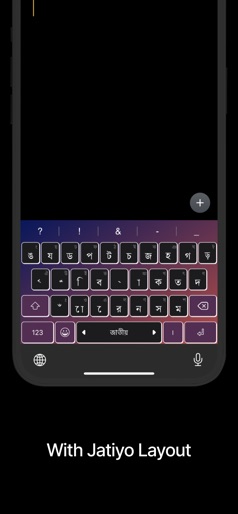
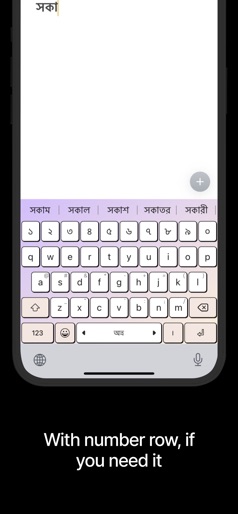
Ridmik Keyboard is a full-featured keyboard for writing in Bangla on iOS. This app is totally free and does not contain any ads. FEATURES - Writing in Avro, Jatiyo and Probhat layout - 7 Colorful themes HOW TO SETUP - Go to Settings > Ridmik Keyboard > Keyboards > Enable & Allow Full Access PERMISSION EXPLANATION - Allow Full Access: The interface where you see the settings and various instructions & guides is called the container app. The keyboard is an extension of the container app. These are different entities and the settings that you set in the container app can only be accessed from the Keyboard extension when "Allow Full Access" is enabled. This works in the same way as any other 3rd party keyboard. Ridmik Keyboard does not collect/send any sensitive data. For more information, please read the privacy policy.
Create screenshots like Ridmik Keyboard
Use FlyerBanana's free editor to create professional App Store screenshots inspired by Ridmik Keyboard's design. 100+ templates, device frames, and one-click export.
More Productivity Apps
View all

Microsoft Outlook
Productivity


AVG AntiVirus & Security
Productivity


Screen Recorder - XRecorder
Productivity


Opera: Private Web Browser
Productivity


Parallel Space - app cloning
Productivity


Duolingo - Language Lessons
Productivity