

App Store Screenshots (8)





Design Analysis
Visual Design
App Insights
About Period Tracker and Calendar
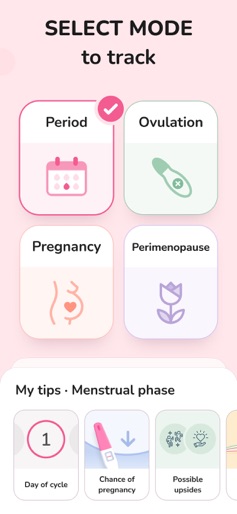
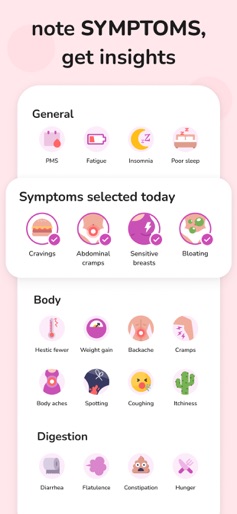
Period Tracker and Calendar by Simple Innovation is an elegant and easy-to-use period tracker that helps you take control of the many aspects of your menstrual cycle — from ovulation, fertility and periods, to birth control pills, moods and other symptoms. Whether you are concerned about conceiving, birth control and contraception, or regularity of period cycles, Period Tracker and Calendar can help. Our tracker is easy to use and offers everything you need: Track irregular periods, weight, temperature, moods, blood flow, symptoms and more. Be PREPARED for your PERIOD: - MAKE PLANS for rest and work - Be CONFIDENT about your HEALTH. Add information to the app, use it to answer your doctor’s questions. - Note SYMPTOMS, get insights. Use the charts to track changes. - Track OVULATION and FERTILITY dates. - Keep your data SECRET. Use pin-code, face-ID or a fingerprint to keep the data safe. - Take PILLS on time. Use reminders so you don't miss your pill time. Discreet reminders keep you informed and prepared by predicting upcoming periods, ovulation, and fertile days. The app adapts to your cycle history and the calculator accurately predicts the important events during your cycle. Key features: - Vital info at a glance: intuitive calendar home page lets you visualize non-fertile, fertile, ovulation, expected period and actual period - Entire cycle log and settings can be backed up and restored easily and quickly. Never be afraid to lose your calendar data, even when you lost your phone or get a new one. - Detailed tracking: daily planner lets you save essential period information like flow, intercourse, symptoms, moods, temperature, weight, medicine, PMS, other cervical observations, and general diary notes - Always stay in the loop with notifications for upcoming period, fertility windows or ovulation - Protect your most private data from curious eyes: password lock it using a unique PIN code - Personalize and make it yours: Gorgeous new watercolor themes, adjust period prediction intervals, luteal phase length, plus choose your units of measure and the first day of the week (Sunday or Monday) – all in Settings - Abstinence mode hides ovulation, fertility and intercourse related data—perfect tracker for girls and teens just starting their periods - Want to start fresh? Just reset it You can track changes and symptoms during perimenopause, such as hot flashes, night sweats, mood swings, and irregular cycles. Stay in control of your health with personalized insights and reminders tailored for this important life stage. Whether you are starting to notice irregularities or want extra support, Perimenopause Mode helps you better understand your body and feel prepared every day. This highly customizable period tracker and pregnancy planning calendar is perfect for any woman to take control of her health and keep organized. Download it for FREE today!
Create screenshots like Period Tracker and Calendar
Use FlyerBanana's free editor to create professional App Store screenshots inspired by Period Tracker and Calendar's design. 100+ templates, device frames, and one-click export.
More Health & Fitness Apps
View all

Flo Cycle & Period Tracker
Health & Fitness


CVS Health
Health & Fitness


Clue Cycle & Period Tracker
Health & Fitness


Headspace: Meditation & Sleep
Health & Fitness


Noom Weight Loss, Food Tracker
Health & Fitness


Impulse - Brain Training
Health & Fitness