

PDF Reader - OCR Scan Edit
Fuzhou Jiange Technology Co., Ltd.
App Store Screenshots (4)


About PDF Reader - OCR Scan Edit
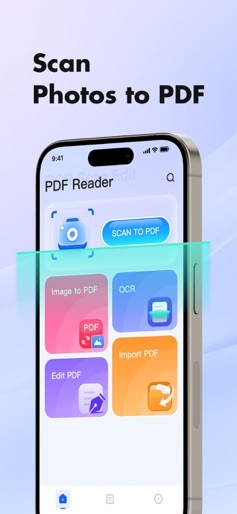
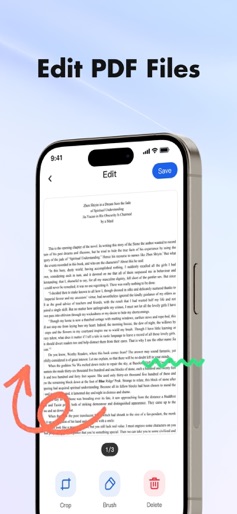
PDF Reader - OCR Scan Edit: Makes PDF editing and scanning easier. PDF Reader - OCR Scan Edit: Your mobile PDF office assistant. Supports editing, scanning, and OCR recognition, making document management easy and efficient. Key Features: PDF Editing Easily add, delete, and rearrange pages. Supports filters, highlights, and annotations, making your PDFs more readable and personalized. Image to PDF Import multiple images at once and automatically generate a PDF file for clarity, organization, and efficiency. Import PDF Import PDF files from system folders, ready to use right out of the box, making management easier. OCR Text Recognition Intelligently recognize text in images or scans, extracting and generating editable PDF files with one click, instantly converting paper documents to digital form. Whether you're scanning notes, editing documents, or recognizing text in images, PDF Reader - OCR Scan Edit is your go-to assistant.c
Create screenshots like PDF Reader - OCR Scan Edit
Use FlyerBanana's free editor to create professional App Store screenshots inspired by PDF Reader - OCR Scan Edit's design. 100+ templates, device frames, and one-click export.