

App Store Screenshots (10)




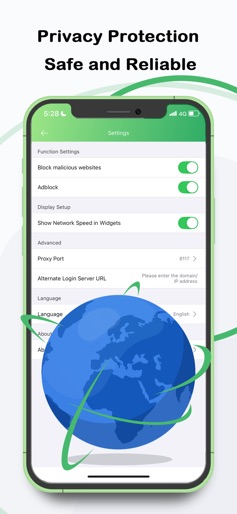

Design Analysis
Visual Design
Style: Custom
Key Features Shown
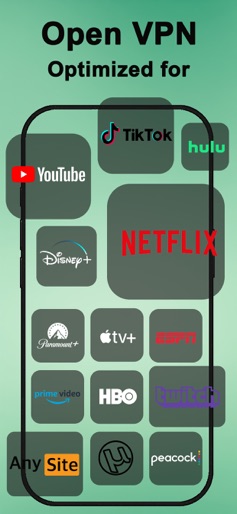
- •Streaming service optimization
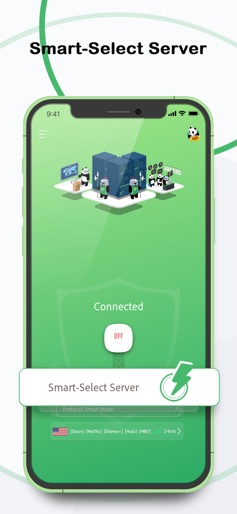
- •Global server list
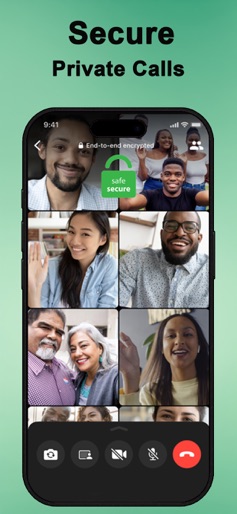
- •Video call encryption
- •Gaming speed optimization
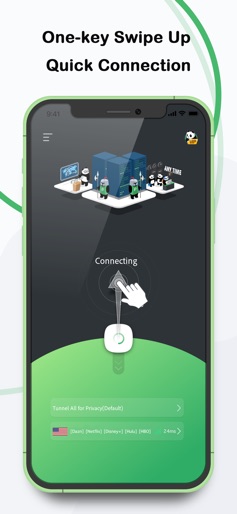
- •Panda Mascot branding
App Insights
Target: Global internet users seeking to bypass geo-restrictions for gaming and streaming, and privacy-conscious users on public Wi-Fi.
- •In-App Purchases
- •Paid Subscription Plans (VIP)
- •Free Trial (3-Day)
ASO Keywords:
About PandaVPN: Fast & Private VPN
PandaVPN Pro – Fast & Secure VPN for Private Browsing, Streaming & Gaming Secure & Private Online Access with a Fast & Reliable VPN Protect your privacy, enhance online security, and browse with confidence using PandaVPN Pro – the best secure VPN app for iPhone and iPad users seeking a fast VPN for streaming, gaming, and private browsing. Whether on public Wi-Fi or needing a private VPN connection for remote work, our high-speed, no-log service delivers seamless protection. Download now for instant secure VPN for iPhone! ◆ Why Choose PandaVPN Pro? √ Fast & Stable Connection – WireGuard/OpenVPN for top speed and encryption in secure VPN for iPhone. √ Seamless Streaming & Gaming – Unlock Netflix/Hulu with fast VPN for streaming; buffer-free play. √ Optimized for Gamers – Low lag for PUBG/Fortnite via fast VPN for gaming. √ Privacy-Focused – No logs for private VPN for iPhone anonymity. √ Secure Public Wi-Fi – Encryption for secure VPN for public WiFi. √ Smart Split Tunneling: Customise routing by Region, Social Media, or custom IP/Domain rules for precise control. √ User-Friendly – One-tap to servers for private browsing with VPN. √ 3-Day Free Trial – Test best VPN for privacy risk-free. √ Multiple Device Support – Secure VPN connection across iOS. Trusted by 500K+ users across global markets, PandaVPN Pro earns praise from TechRadar for reliable encryption – your shield for private internet VPN. Experience Safe & Fast Online Browsing – Download PandaVPN Pro Today! ◆ Stay Connected with Your Favorite Apps ▸ Secure Telegram/WhatsApp/Instagram with private VPN for public networks. ▸ Encrypted calls via secure VPN for iOS and fast VPN for video calls. ◆ Smooth Streaming – Anytime, Anywhere ▸ High-speed for fast VPN for Netflix/Hulu global access. ▸ Dodge throttling with VPN for secure streaming. ▸ Abroad routine intact via best VPN for secure streaming and best VPN for online banking. ◆ Optimized for Gaming – Low Latency, High Performance • Stable play in PUBG/Free Fire/Roblox with secure VPN for gaming. • Regional servers for VPN for secure remote access. • No threats; fast private VPN connection. • Ideal for secure VPN for fast connection. ◆ Who Benefits from PandaVPN Pro? √ Students – Sites unlocked via secure VPN for college WiFi. √ Gamers – Global access with best fast VPN for iPhone. √ Remote Workers – Data safe in calls via private VPN for work security and best VPN for remote work. √ Streaming Fans – No cuts with fast VPN for video calls and secure file share. √ Privacy Users – Free browsing via best VPN for mobile privacy and secure browsing VPN. √ Travelers – Home links via secure VPN for travel and secure VPN for iPad. Download PandaVPN Pro Now – Start Secure Browsing! ◆ Global VPN Server Network ◆ Global VPN Server Network ■ Tap into blazing-fast servers worldwide, including: ■ United States VPN – For lightning-quick US access. ■ United Kingdom VPN – Seamless UK streaming and browsing. ■ Canada VPN – Reliable North American connections. ■ Japan VPN – Low-latency for Asian gaming hubs. ■ Germany VPN – Strong European privacy shields. ■ Australia VPN – Down-under speed without slowdowns. ■ Singapore VPN – Asia-Pacific powerhouse. ■ India VPN – Vast regional coverage. ■ Malaysia VPN – Southeast Asia optimized. ■ Indonesia VPN – Local and global reach. ■ South Korea VPN – K-content and gaming paradise. ■ United Arab Emirates VPN – Middle East secure gateway. ■ Argentina VPN – South American streaming boost. ■ France VPN – Euro favorites unlocked. ■ Hong Kong VPN – Asia's connectivity nexus... Not available in mainland China. Get PandaVPN Pro for safer, faster privacy – best VPN app for iPhone security! ◆ Subscription & Terms Auto-Renewal: [https://pandavpnpro.com/auto-renewal-agreement] Privacy Policy: [https://pandavpnpro.com/privacy-policy] Terms: [https://pandavpnpro.com/terms-of-service] Contact: panda7x24@gmail.com
Create screenshots like PandaVPN: Fast & Private VPN
Use FlyerBanana's free editor to create professional App Store screenshots inspired by PandaVPN: Fast & Private VPN's design. 100+ templates, device frames, and one-click export.
More Productivity Apps
View all

Microsoft Outlook
Productivity


AVG AntiVirus & Security
Productivity


Screen Recorder - XRecorder
Productivity


Opera: Private Web Browser
Productivity


Parallel Space - app cloning
Productivity


Duolingo - Language Lessons
Productivity