

Monefy - Budget & Expenses app
Reflective Technologies
Create Screenshots Like Monefy - Budget & Expenses appApp Store Screenshots (6)



Design Analysis
Visual Design
App Insights
About Monefy - Budget & Expenses app
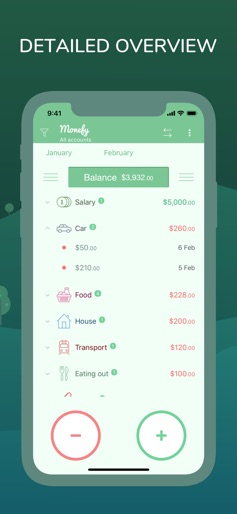
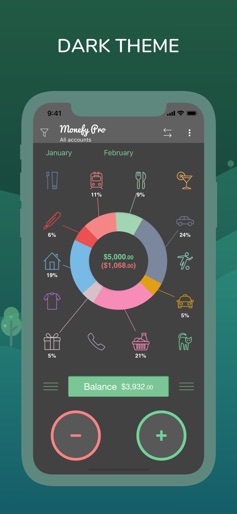
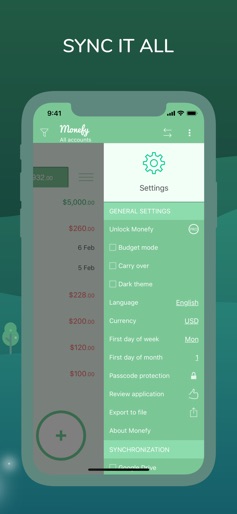
How to track your expenses successfully? We know that it’s easy. You only need to add each expense you do… no more than that! And Monefy is going to help you. Just add new transactions when you are buying a coffee or taking a taxi. It’s done in one click, because you do not need to fill anything except the expense amount. It has never been so quick and enjoyable! Do you own a phone and a tablet? Or you want to track expenses together with your significant other? Monefy fits the best. You can safely synchronize data between devices using your own Google Drive or Dropbox account. Create or change records, add new categories or delete old ones and they will be present on another devices right away! Key features which make tracking enjoyable and powerful: 1. Intuitive and easy to use user interface. No redundancy 2. Add new records extremely fast 3. See your spending distribution on the nice and informative chart or get detailed information from the records list 4. Multi-currency support 5. Manage categories if defaults do not work for you 6. Be safely synchronized using your own Google Drive or Dropbox account 7. Choose the report period 8. Track recurring records easily 9. Passcode protection 10. Multiple accounts support 11. Built-in calculator MONEFY PREMIUM: The app offers an auto-renewing Premium Subscription. Payment will be charged to iTunes Account at confirmation of purchase. Subscription automatically renews unless auto-renew is turned off at least 24-hours before the end of the current period. Account will be charged for renewal within 24-hours prior to the end of the current period, and identify the cost of the renewal. Subscriptions may be managed by the user and auto-renewal may be turned off by going to the user's Account Settings after purchase. Any unused portion of a free trial period, if offered, will be forfeited when the user purchases a subscription to that publication, where applicable. Any prices referenced are in US Dollars (USD). Pricing in other currencies and countries may vary and actual charges may be converted to your local currency depending on the country of residence. Privacy Policy: https://monefy.com/privacy-policy Terms of Service: https://monefy.com/terms-of-service Find more information on our website - https://monefy.com
Create screenshots like Monefy - Budget & Expenses app
Use FlyerBanana's free editor to create professional App Store screenshots inspired by Monefy - Budget & Expenses app's design. 100+ templates, device frames, and one-click export.
More Finance Apps
View all

Zillow Real Estate & Rentals
Finance


Bank of America Mobile Banking
Finance


Robinhood: Trading & Investing
Finance


GEICO Mobile - Car Insurance
Finance


Branch: Instant Loan & Banking
Finance


FanDuel Sportsbook & Casino
Finance