
App Store Screenshots (4)

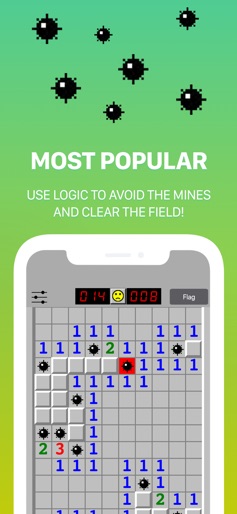
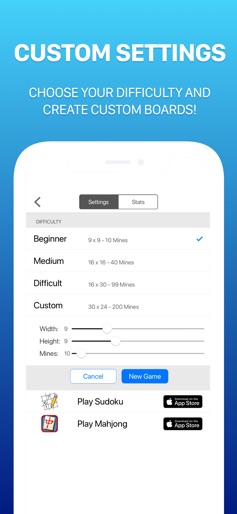

Design Analysis
Visual Design
Style: Custom (Retro Windows 95 aesthetic)
Key Features Shown
- •Classic Retro Gameplay
- •Difficulty Selection
- •Custom Board Builder
- •Global Leaderboards
- •Detailed Statistics Tracking
App Insights
Target: Nostalgic gamers and puzzle enthusiasts who value the classic Windows-era aesthetic and logic-based gameplay.
- •Interstitial ads
- •Banner ads
- •Annual subscription for ad removal
- •One-time IAP for ad removal (legacy)
ASO Keywords:
About Minesweeper Classic 2
Minesweeper 2 is the sequel to the classic retro PC game, bringing the nostalgic game you know and love to your mobile phone. The game is simple: use strategy and logic to avoid the bombs to clear the minefield. Challenge yourself and use the custom board builder to create your own puzzles. Track progress and game stats to beat your own times & scores. If you like old classic games like chess, checkers, backgammon, solitaire, freecell, and classic puzzle games like sudoku, tetris, and crossword puzzles then this game is for you. How to Play: Start with a covered mine field of square tiles and clear the field by tapping one square at a time. Beneath each tile is is either a number to indicates how many mines are touching the tile, a blank space, or a mine that will explode when tapped. Use strategy and logic to navigate the mine map and win the game! Features: High Score leaderboard for each difficulty setting Stats tracking to keep monitor your progress Select level of difficulty: Beginner, Medium, Difficult Customize your game for an even greater challenge Flag Mode: Mark tiles you think are bombs Easy to use interface, smooth gaming experience Pinch to zoom Portrait & Landscape mode available on both iPhone and iPad Thanks for playing Minesweeper Classic 2! Have questions or feedback? Email us at contact@maplemedia.io for fast & friendly support. View our Terms of Service at: https://maplemedia.io/terms-of-service/ View our Privacy Policy at: https://maplemedia.io/privacy/
Create screenshots like Minesweeper Classic 2
Use FlyerBanana's free editor to create professional App Store screenshots inspired by Minesweeper Classic 2's design. 100+ templates, device frames, and one-click export.