Microsoft SwiftKey AI Keyboard icon

Microsoft SwiftKey AI Keyboard

SwiftKey

Communication
4.6(118.5K ratings)
Free
Create Screenshots Like Microsoft SwiftKey AI Keyboard

App Store Screenshots (8)

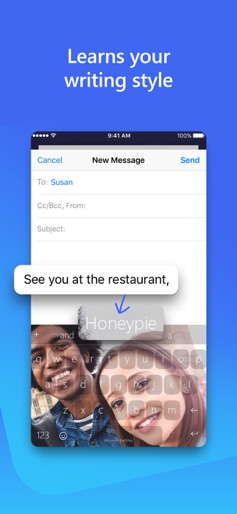
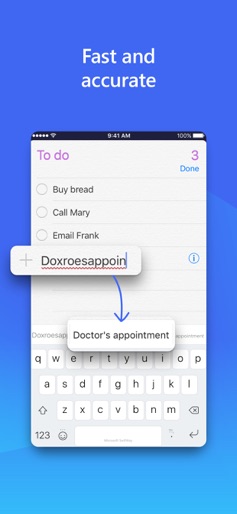
Microsoft SwiftKey AI Keyboard screenshot 1
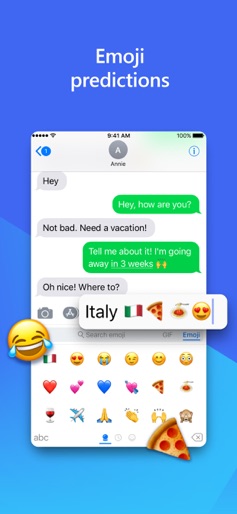
Microsoft SwiftKey AI Keyboard screenshot 2
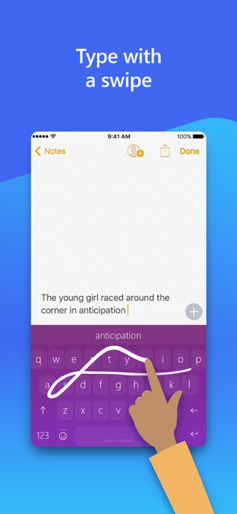
Microsoft SwiftKey AI Keyboard screenshot 3
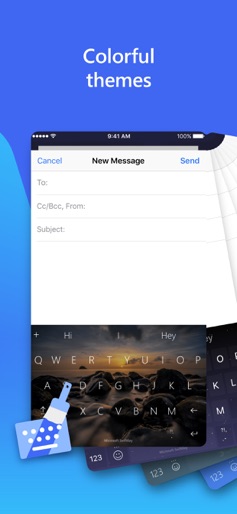
Microsoft SwiftKey AI Keyboard screenshot 4
Microsoft SwiftKey AI Keyboard screenshot 5
Microsoft SwiftKey AI Keyboard screenshot 6
Microsoft SwiftKey AI Keyboard screenshot 7
Microsoft SwiftKey AI Keyboard screenshot 8

Design Analysis

Visual Design

Style: Hybrid

Colors:
accent
primary
secondary
Toolbar with shortcutsFloating prediction barThemed keyboard skinsChatbot interface

Key Features Shown

  • Copilot AI Integration
  • Photo Themes
  • Autocorrect / Prediction
  • Emoji Prediction
  • Multilingual Support

App Insights

Target: Mobile power users and multilingual communicators seeking faster typing and integrated AI assistance on iOS devices.

Monetization:
  • In-app purchases (Themes/Premium features)
  • Data ecosystem value
  • Microsoft 365 cross-selling
  • AI service integration (Copilot)

ASO Keywords:

MicrosoftSwiftKeyAIKeyboard

About Microsoft SwiftKey AI Keyboard

Microsoft SwiftKey is the intelligent keyboard that learns your writing style, so you can type faster. Microsoft SwiftKey is always learning and adapting to match your unique way of typing - including your slang, nicknames and emojis. That means autocorrect that actually works and helpful predictions, so you can get your point across fast, without errors. Customise your keyboard to match your style, with dozens of themes to choose from. Send emojis, GIFs and more to your friends – Microsoft SwiftKey even learns your favourite emoji. Let Microsoft SwiftKey help you text faster with Artificial Intelligence, swipe-to-type and more! Download today. TYPE LESS, DO MORE Intelligent Keyboard - Microsoft SwiftKey learns from you, including your word choice, emoji usage and more - Swipe typing or tap-to-type, whichever you prefer - Toolbar: the expandable menu filled with quick shortcuts

Create screenshots like Microsoft SwiftKey AI Keyboard

Use FlyerBanana's free editor to create professional App Store screenshots inspired by Microsoft SwiftKey AI Keyboard's design. 100+ templates, device frames, and one-click export.


More Communication Apps

View all

Frequently Asked Questions

How can I create screenshots like Microsoft SwiftKey AI Keyboard?
You can create App Store screenshots inspired by Microsoft SwiftKey AI Keyboard using FlyerBanana's free screenshot editor. Choose from 100+ templates, customize colors, text, and device frames, then export in all required sizes.
What screenshot sizes does Microsoft SwiftKey AI Keyboard use?
Microsoft SwiftKey AI Keyboard uses standard App Store screenshot sizes including 6.7" (1290×2796px), 6.5" (1284×2778px), and 5.5" (1242×2208px) for iPhones. FlyerBanana supports all required sizes with one-click export.
Can I use Microsoft SwiftKey AI Keyboard's screenshot style for my app?
Yes! While you shouldn't copy screenshots directly, you can use Microsoft SwiftKey AI Keyboard's design patterns as inspiration. FlyerBanana's templates let you create professional screenshots with similar layouts, color schemes, and visual styles.
What makes good Communication app screenshots?
The best Communication app screenshots clearly showcase key features, use consistent branding, include compelling copy, and follow App Store guidelines. Browse our Communication inspiration gallery to see what top apps do well.