
Micro Drama-Watch Short&Dramas
JIANZHOU TEC HK LIMITED
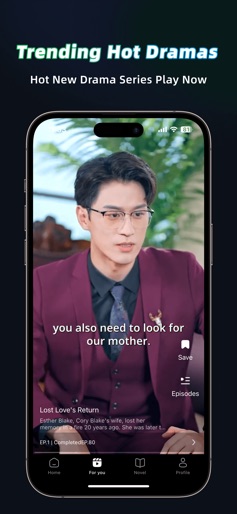
Create Screenshots Like Micro Drama-Watch Short&DramasApp Store Screenshots (6)




Design Analysis
Visual Design
App Insights
About Micro Drama-Watch Short&Dramas
Micro Drama: A must-have application for short dramas! Anywhere, anytime, during your commute, lunch break or leisure time, open Micro Drama and watch selected popular short videos, Chinese dramas, Korean dramas, Taiwanese dramas, movies, mini dramas, Drama Series online, so you can get the most entertainment in the shortest time. Why Micro Drama? 【Diverse Themes】 From the protagonist's road to revenge, to heartwarming love stories, from modern romance and urban romance, to clumsy ladies, miracle doctors, presidents, billionaires, queens, and gods of war, you can find your favorite genres and themes here! 【Bite-Sized Episodes】 Perfect for on-thego viewing, our short episodes fitseamlessly into your busy schedule, soyou can catch up on your favorite storiesanytime, anywhere. 【Recommendations】 Accurate system recommendations allow you to easily find the right drama for you! 【Personalized Podcast List】 Create a personalized playlist, a small tree hole for watching dramas. 【Continuous Update】 Short dramas are continuously updated every month, so you will continue to get new high-quality short drama experience. Download Micro Drama now and start your drama journey! Automatic Subscription Service Description 1. Core Benefit: After subscribing, you can enjoy ad-free viewing of all short dramas during the subscription period 2. Subscription Information: The price is shown in the Subscription Center, and the fee will be deducted from the bound Apple ID 3. Auto-Renewal: Automatic payment and renewal will be processed 24 hours before the subscription expires; if the payment fails, you can make up the payment to restore the service within the grace period, and the subscription will become invalid if the payment is not made after the grace period 4. Cancellation Method: You need to operate 24 hours before the expiration: Device "Settings" → Apple ID → "Subscriptions" → Find this app → "Cancel Subscription". After cancellation, the privilege will last until the end of the current period; 5. Others: For billing issues, contact Apple Customer Service. Relevant Agreements: a. Privacy Policy: https://janzhoutec.com/PrivacyPolicy.html b. Terms of Service: https://janzhoutec.com/MicroDrama_UserServiceAgreement.html
Create screenshots like Micro Drama-Watch Short&Dramas
Use FlyerBanana's free editor to create professional App Store screenshots inspired by Micro Drama-Watch Short&Dramas's design. 100+ templates, device frames, and one-click export.
More Entertainment Apps
View all

YouTube
Entertainment


Spotify: Music and Podcasts
Entertainment


TikTok - Videos, Shop & LIVE
Entertainment


Pandora: Music & Podcasts
Entertainment


Shazam: Find Music & Concerts
Entertainment


Photo Lab Picture Editor & Art
Entertainment