

App Store Screenshots (7)




Design Analysis
Visual Design
App Insights
About Merge Cooking®
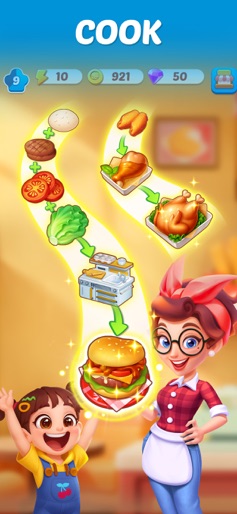
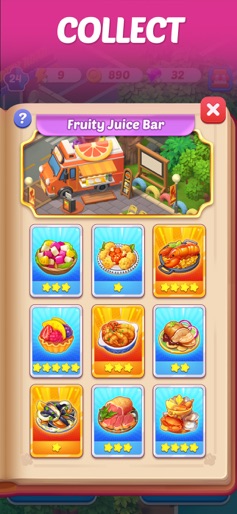
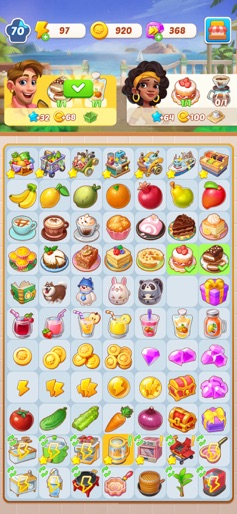
Do you know you can enjoy the food around the world without traveling? Do you know you can master the secret of cooking with just a few simple steps? Tie your apron and put your chef hat on! In Merge Cooking, you can cook anything! - Welcome, Chef! Your assistant Lea is waiting for you to start the adventure of opening restaurants and serving customers around the world. Merge Cooking not only allows you to cook as a star chef and master the world cuisine but also helps you realize your designer dream and renovate Michelin star restaurants! - Start a food tour! ENJOY Eggs Benedict in New York, DRINK Tom Yam Gong in Bangkok, ROLL Sushi in Tokyo, DINE on Escargot in Paris… Merge Cooking takes you on a world tour, city by city! You will unlock a world-famous dish every day and discover more exciting and challenging recipes to hone your cooking skills. Various local cuisines – Taco, Kebab, Ramen and more. Numerous restaurant themes – fast food, BBQ, seafood and more. - Play with ingredients! MERGE ingredients with the simple steps – tap, drag & merge! Quality delicacy requires nothing but basic ingredients! COOK with the help of machines – seven pieces of equipment that bring you extra fun! Simulate real-life cooking and prepare the food in a fun way! Frying pan, juice blender, oven and cocktail shaker… everything you need to prepare a decent meal will be on standby. Say goodbye to overcooked pies and charred steaks! - Eat outside the box! Mozzarella, pecan, coconut, lobster, champagne… Find everything you need to become a world-famous chef. Merge them to serve hungry customers! Discover more as you play! Unlock special souvenirs as you travel. How about sending a postcard from Hollywood? - Every flavor tells a story! Nothing makes people more connected than good food. Get familiar with the American restaurant owner who's also a football coach and the French restaurant manager who's elegant but picky. Greet customers from all walks of life. Learn their stories and write more of your own! In Merge Cooking you’ll: - MERGE fruits, vegetables, cheese and UNCOVER other numerous ingredients. - COOK exotic and fantastic dishes and TRAVEL to different countries. - SIMULATE real-life cooking with different cooking equipment. - RENOVATE restaurants with fresh new designs. - UPGRADE culinary skills and MASTER global recipes. - RELAX by enjoying great delicacy. No time pressure! - CLAIM amazing rewards and gifts. - ENGAGE yourself and ENJOY extra fun! Merge Cooking, cook anything! Have questions or need support? Contact us via email at support@happibits.zohodesk.com.
Create screenshots like Merge Cooking®
Use FlyerBanana's free editor to create professional App Store screenshots inspired by Merge Cooking®'s design. 100+ templates, device frames, and one-click export.









