
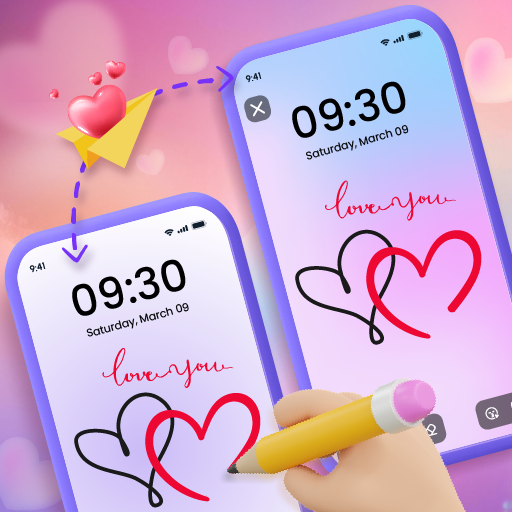
App Store Screenshots (6)


Design Analysis
Visual Design
Style: Custom
Key Features Shown
- •Real-time lock screen sync
- •Collaborative drawing with friends
- •Romantic message templates
- •Interactive lock screen games (Tic-Tac-Toe)
- •Sticker and emoji overlays
App Insights
Target: Gen Z and Alpha users, long-distance couples, and close friend groups looking for synchronous, low-friction social interaction.
- •Ad-supported (Interstitials, Rewarded)
- •In-App Purchases (Remove Ads, Premium Stickers, Backgrounds)
ASO Keywords:
About Lockscreen Drawing
Have you ever wished you could turn your phone's lock screen into a canvas for fun and connection? Look no further than Lockscreen Drawing, the app that lets you draw directly on your lock screen and share your creations with friends and family in real-time! Draw, Connect, and Create Together: Doodling on the Go: Lockscreen Drawing lets you unleash your inner artist on your lock screen, a special widget, or even within the app itself. Your creations instantly appear on your connected friends' screens, fostering a fun and collaborative art experience. Endless Possibilities: Fuel your imagination with a variety of backgrounds to choose from and over 100 unique stickers to add personality to your doodles. Everything you need to express yourself creatively is at your fingertips, completely free! Features to Make Every Doodle Delightful: Live Lock Screen Collaboration: Connect with friends and create masterpieces together right on your lock screens. See their strokes appear in real-time, making every doodle an interactive adventure. Handy Widget: Stay connected even while using your phone! The Lockscreen Drawing widget displays your friends' latest creations, keeping you in the loop on their artistic endeavors. In-App Canvas: Feeling inspired? Dive into the app and create stunning artwork using your phone as your canvas. Explore a vast collection of backgrounds and unleash your creativity with a touch. More Ways to Personalize and Connect: Set the Scene: Choose the perfect backdrop for your masterpieces. Select a photo from your gallery or explore the 20+ themed backgrounds available in the app, from romantic to whimsical, there's something for everyone. Stickers Galore: Add a touch of fun and personality to your doodles with over 100 free stickers! Express yourself with flair and charm, making every creation unique. Connect with Ease: Effortlessly find and connect with friends using QR codes, links, or special codes. Surprise them with a hidden message or doodle on their lock screen during your next video call! Save and Share: Preserve your artistic collaborations! Save your completed doodles to cherish them forever or share them with others to spread the creative joy. Love is in the Doodle: Lockscreen Drawing isn't just for friends; it's perfect for couples too! Express your love with adorable drawings and surprise your significant other with a heartfelt message displayed on their lock screen every time they unlock their phone. Join the Fun and Doodle Your Way to Connection! Download Lockscreen Drawing today and unlock a world of creative possibilities. Share your doodles, express yourself, and connect with loved ones in a way that's both fun and unique! If you enjoy Lockscreen Drawing, please consider giving us a 5-star rating. Your support motivates our team to develop even more exciting features for you in the future. Let's get doodling!
Create screenshots like Lockscreen Drawing
Use FlyerBanana's free editor to create professional App Store screenshots inspired by Lockscreen Drawing's design. 100+ templates, device frames, and one-click export.
More Entertainment Apps
View all

YouTube
Entertainment


Spotify: Music and Podcasts
Entertainment


TikTok - Videos, Shop & LIVE
Entertainment


Pandora: Music & Podcasts
Entertainment


Shazam: Find Music & Concerts
Entertainment


Photo Lab Picture Editor & Art
Entertainment