
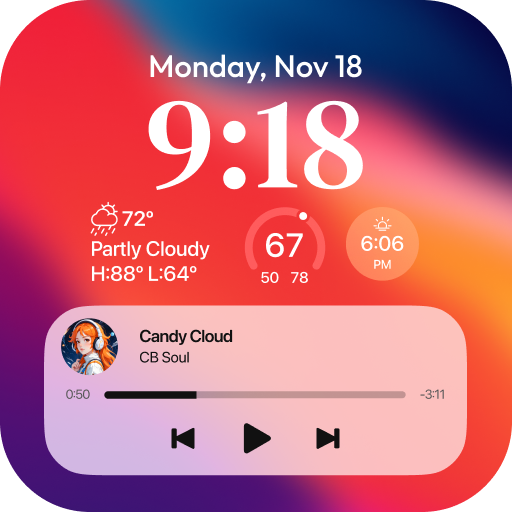
App Store Screenshots (21)


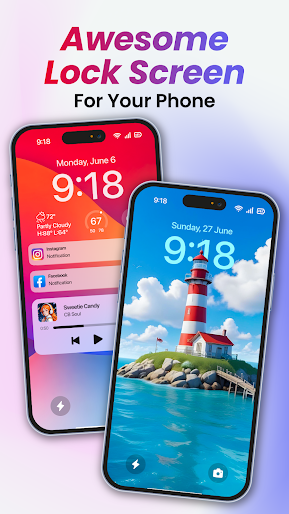


Design Analysis
Visual Design
Style: iOS Native
Key Features Shown
- •iOS 17 Font Customization
- •Depth Effect Wallpapers
- •Lock Screen Widgets
- •Media Player Control
- •Stacked Notifications
App Insights
Target: Android users seeking the iOS aesthetic, specifically younger demographics in emerging markets (Brazil, Indonesia, India) who want to customize their device's visual interface.
- •Aggressive Ad-supported (Interstitial and Video)
- •In-app Purchases (IAP)
- •Lifetime Subscriptions
ASO Keywords:
About Lock Screen OS
Lock Screen OS is a great replacement for system lock of Android. Lock Screen OS provides you with all-new ways to personalize your Lock Screen. Showcase favorite photos, customize font styles, and display a set of widgets to get information at a glance. 🔻 Reimagined Lock Screen OS Change your phone into an OS with all-new ways to personalize your Lock Screen. Customize font styles, and display a set of widgets to get information at a glance. 🔻 Create multiple Lock Screens You can now create different Lock Screens, each with a unique backdrop and style, and easily switch between them. Browse a gallery of wallpapers with suggested photos and themed collections for inspiration. 🔻 Notifications View notifications on the Lock Screen in an expanded list view, stacked view, or hidden view. To make Lock Screen OS working most perfect. You must grant some special permissions like to: - CAMERA: Open camera in your phone when screen is locked. - READ_PHONE_STATE: Show phone call when screen is locked. - NOTIFICATION ACCESS: Show notification when screen is locked. - READ/WRITE_EXTERNAL_STORAGE: Support wallpaper set from your storage and our server save image. - DRAW OVER SCREEN: Show Lock Screen in over all application - ACCESSIBILITY PERMISSION: To enable Lock Screen OS, please allow Accessibility services. The service is only used to allow this app to draw on the phone's home screen and status bar. The application commits not to collect or share any user information about this accessibility right. Step setting in the first install can help Lock Screen OS applications work better. Step 1 : Grant all permission requirements. Step 2 : Setup pass code > click on Pass code option > create new or change pass code. Step 3 : Disable system notification > Click on Disable system lock option > Please note that , selected system lock is "None". Step 4 : If you need to hide content and show system notification > Please select Notification option and turn on switch if needed. You can quickly view with youtube video at : https://youtu.be/bpaan93yfCU Lock Screen OS is a perfect application and helps you have wonderful Android applications with beautiful interface. Disclaimers All product names, logos, brands, trademarks and registered trademarks, which are not owned by us, are property of their respective owners All company, product and service names used in this app are for identification purposes only. Use of these names, trademarks and brands does not imply endorsement. This app is owned by us. We are not affiliated, associated, authorized, endorsed by, or in any way officially connected with any 3rd party apps or companies. All of your opinion can be help us making more application and improving other in future, if you need help for using feature or have some suggestion, Please contact us via: support@appsgenz.com Ok, let's turn off and turn on the screen to enjoy it now!
Create screenshots like Lock Screen OS
Use FlyerBanana's free editor to create professional App Store screenshots inspired by Lock Screen OS's design. 100+ templates, device frames, and one-click export.
More Entertainment Apps
View all

YouTube
Entertainment


Spotify: Music and Podcasts
Entertainment


TikTok - Videos, Shop & LIVE
Entertainment


Pandora: Music & Podcasts
Entertainment


Shazam: Find Music & Concerts
Entertainment


Photo Lab Picture Editor & Art
Entertainment