

App Store Screenshots (24)


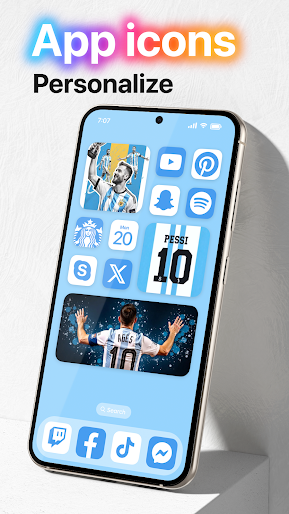


Design Analysis
Visual Design
App Insights
About Launcher OS™
Launcher OS™ sets a new standard for the Android mobile operating system. It makes your phone better than before. And now it opens up to amazing possibilities for launcher on your phone. With Launcher OS™, Your phone is the most powerful, personal, and intelligent devices they've ever been. To make Launcher OS™ working most perfectly. You must grant some special permissions like to: - CAMERA: Open camera in your phone when screen is locked. - READ_PHONE_STATE: Show phone call when screen is locked. - NOTIFICATION ACCESS: Show notification when screen is locked. - READ/WRITE_EXTERNAL_STORAGE: Support wallpaper set from your storage and our server save image. - DRAW OVER SCREEN: Show Lock Screen in over all application. - MANAGE_EXTERNAL_STORAGE: Includes a built-in universal file search feature to help users quickly find any file on their device. - RECORD_AUDIO: Uses microphone access to convert your voice to text in AI chat. If you have any problem, please contact me via email support@appsgenz.com THANK YOU SO MUCH FOR YOUR USING MY APPLICATION!
Create screenshots like Launcher OS™
Use FlyerBanana's free editor to create professional App Store screenshots inspired by Launcher OS™'s design. 100+ templates, device frames, and one-click export.
More Personalization Apps
View all

Emoji keyboard - Themes, Fonts
Personalization


Facemoji AI Emoji Keyboard
Personalization


Nova Launcher
Personalization


Mods Addon Skins for Minecraft
Personalization


Themepack - App Icons, Widgets
Personalization

HiPhone Launcher OS Phone:Fast
Personalization