

App Store Screenshots (9)





Design Analysis
Visual Design
App Insights
About JusTalk - Video Chat & Calls
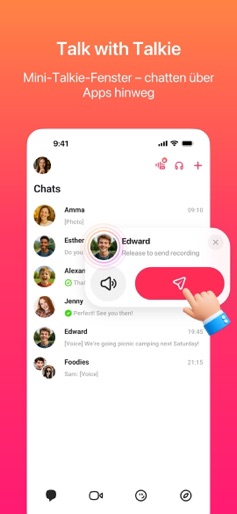
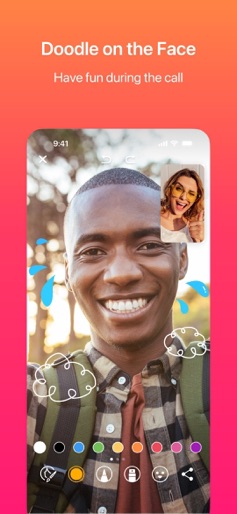
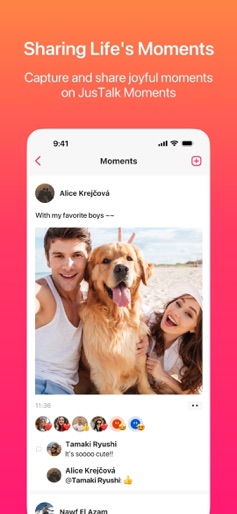
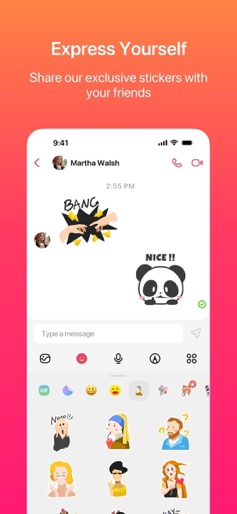
JusTalk is a powerful app for voice and video calls and instant messaging. It aims to provide users with a high-quality, secure, and convenient experience for communication through voice and video calls and messaging. JusTalk offers a variety of rich features for individuals, families, and professionals to meet their communication needs. Users can connect with family, friends, and colleagues worldwide, breaking the limitations of geographical distances. It is a convenient way to interact, communicate, and share with loved ones. • High-Quality Voice and Video Calls JusTalk supports ultra-high-definition voice and video calls with low-latency communication channels. This ensures clear communication with family and friends, enhancing natural interactions and detailed expressions during video calls. It facilitates real-time collaboration, discussions, and decision-making in team meetings, efficiently completing tasks. • Walkie Talkie (Push-to-Talk) JusTalk supports instant voice messaging through a simple push-to-talk Walkie Talkie feature. Users can send real-time voice messages by just pressing and holding—no need to start a call. It’s perfect for quick updates in both one-on-one and group chats, making conversations faster, more natural, and hands-free. • Real-Time Interactive Games While engaged in ultra-high-definition voice and video calls, users can play built-in interactive games in real time. Whether in one-on-one or group calls, this feature enhances bonding and adds fun to the communication experience. • Fun Doodling Users can engage in real-time collaborative doodling on the screen during ultra-high-definition voice and video calls. Each stroke is synchronized in real-time on both screens, allowing for creative expression during calls and making video calls more enjoyable. • Feature-Rich IM Chat In addition to ultra-high-definition voice and video calls, JusTalk supports instant messaging (IM) chat with various features such as text, images, videos, voice messages, emojis, stickers, GIFs, and doodles. • Quick Message Replies and Reactions Users can use the "Reply" feature to respond conveniently to messages from family, friends, or group members in one-on-one or group chats. • Sharing Life Moments By posting "Moments," users can share the most unforgettable moments of their lives with friends and family on JusTalk, showcasing the excitement and vitality of their lives. Moments support text, images, videos, and more. • Family-Centric Features Together with JusTalk Kids, JusTalk provides a safe and convenient communication platform for children, parents, and family members. It enables family members to communicate anytime, anywhere, making sharing messages, photos, videos, or discussing family matters more convenient. • Real-Time Location Real-time location sharing allows close friends to know each other's whereabouts at any time, enhancing a sense of security. It enables friends to more intuitively participate in each other's lives, sharing daily activities and locations, fostering shared experiences, resonance, emotional connection, and building closer friendships. Customer Service: support@justalk.com Terms: https://justalk.com/terms.html
Create screenshots like JusTalk - Video Chat & Calls
Use FlyerBanana's free editor to create professional App Store screenshots inspired by JusTalk - Video Chat & Calls's design. 100+ templates, device frames, and one-click export.











