

App Store Screenshots (8)





Design Analysis
Visual Design
App Insights
About InsMelo Music AI Song Maker
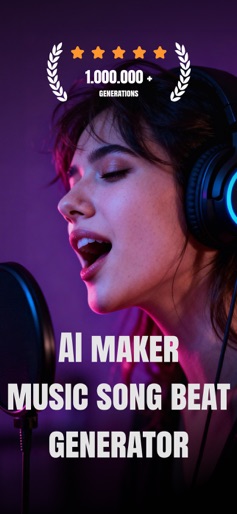
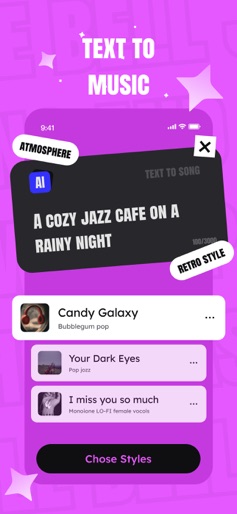
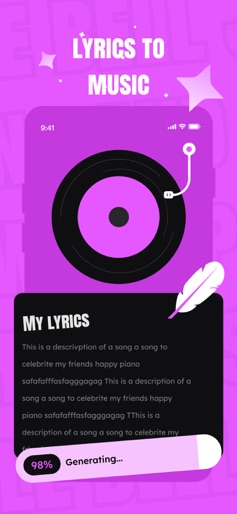
Create Studio-Quality Music with AI in Seconds Turn your ideas into original songs, beats & soundtracks 100% Royalty-Free | Perfect for Videos, Podcasts & More InsMelo: Your AI Music Partner for Instant Creation WHY INSMELO? • AI-Powered Composition: Generate original melodies & full tracks in seconds • Studio-Quality Sound: Professional-grade audio powered by advanced AI • 100% Royalty-Free: You own every song you create—no copyright issues • Multi-Format Export: Download as MP3, WAV, or MP4 for any platform • Unlimited Inspiration: Pop, EDM, Hip-Hop, Cinematic, Lo-Fi & more • Zero Music Skills Required: From idea to finished track instantly PERFECT FOR: - Content Creators: Unique background music for Video or Podcast. - Video Editors: Custom soundtracks for vlogs, ads, and films - Podcasters: Intro/outro music and episode backgrounds - Music Producers: Quick demos and melody inspiration - Songwriters: Break through creative blocks with AI-generated melodies - Streamers: Original music for Live Show, gaming content HOW IT WORKS: 1. Describe your idea, mood, or lyrics 2. Choose your style, genre, or instruments (optional) 3. InsMelo's AI generates your music instantly 4. Preview, refine, and export your track KEY FEATURES: • AI melody & beat generator • Export MP3, WAV, MP4 formats • 100% royalty-free ownership • Pop, Rock, EDM, Hip-Hop, Lo-Fi, Cinematic styles • User-friendly interface for all skill levels • Advanced AI models for professional creators USE CASES: • Background music for videos • Podcast intro/outro & episode music • Vlog Reels & Stories soundtracks • Twitch stream music & gaming content • Commercial ads & marketing videos • Film scores & cinematic soundscapes • Workout & meditation music • Educational video backgrounds WHY CREATORS LOVE INSMELO: Saves time, sparks inspiration, and ensures your creativity never stalls. Like having a virtual studio partner on demand. Start your music creation journey with InsMelo today. Experience the future of AI music creation. EULA: https://insmelo.com/privacy-policy Privacy Policy: https://insmelo.com/user-agreement
Create screenshots like InsMelo Music AI Song Maker
Use FlyerBanana's free editor to create professional App Store screenshots inspired by InsMelo Music AI Song Maker's design. 100+ templates, device frames, and one-click export.
More Creativity Apps
View all

Craftsman: Building Craft
Creativity


Video Editor & Maker - InShot
Creativity


Color by Number:Coloring Games
Creativity


Picsart AI Photo Editor, Video
Creativity


Filmora: AI Video Editor&Maker
Creativity


GoPro Quik
Creativity