
App Store Screenshots (8)

Design Analysis
Visual Design
App Insights
About Homey — A better smart home
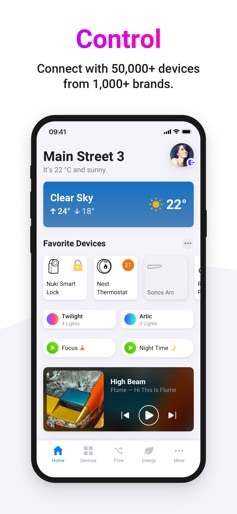
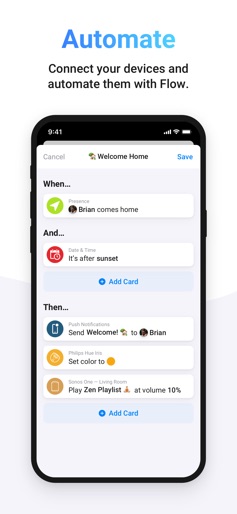
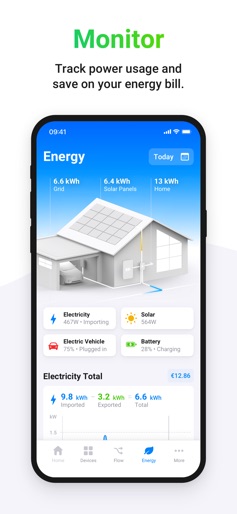
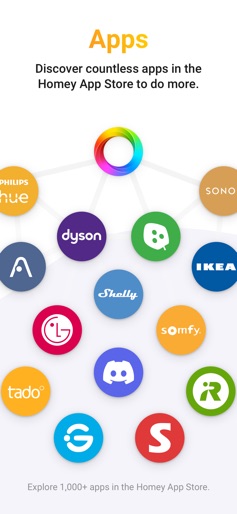
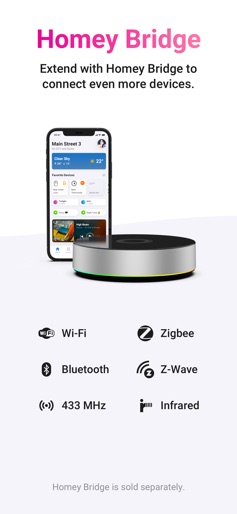
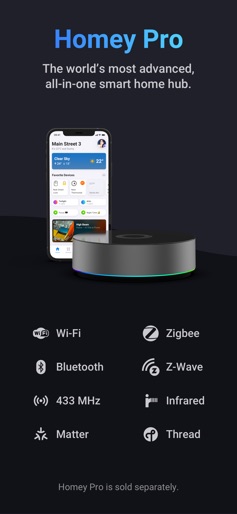
Create a better smart home with Homey. Control, automate, and monitor all your devices from one easy-to-use app, wherever you are. Plus, save energy & money with Homey Energy. A BETTER SMART HOME. • Beautiful Controls — Enjoy intuitive controls for all your smart devices, regardless of brand. • Extensive Compatibility — Homey works with over 50,000 devices from over 1,000 leading brands. • Powerful Automation — Easily automate your smart home with custom Flows. • Save Energy — Track real-time and historical power use and save on your energy bill. • Homey Dashboards — Customize your smart home experience with beautifully designed widgets. • Set the Mood — Quickly capture your lights' current colors or choose from stunning presets. • Friends & Family — Share your smart home effortlessly with those you care about. • Wide Connectivity — Add a Homey Pro or Homey Bridge hub to seamlessly connect devices via Matter, Thread, Zigbee, Z-Wave, BLE, 433 MHz, and Infrared. Download the Homey app for free and create a better smart home today. BEAUTIFUL CONTROLS FOR ANY DEVICE. Homey encompasses over 50,000 devices from top brands, including Philips Hue, Sonos, Google Nest, IKEA, Govee, Nanoleaf, and many more. Enjoy intuitive controls regardless of which devices you own. AUTOMATE WITH FLOW. Flows are your superpower to automate your entire smart home. Use Flow cards to create custom routines with just a few taps and simplify your daily life. Next to Homey Flow in the mobile app, Advanced Flow is available in the Homey Web App. CLOUD & LOCAL CONNECTIVITY. Add cloud-connected devices directly to Homey without a hub. For Matter and Thread devices, use Homey Pro. For Zigbee, Z-Wave, Bluetooth, 433 MHz, and Infrared devices, you can use either Homey Bridge or Homey Pro. YOUR HOME, YOUR CHOICE. Enjoy Homey Cloud for free with up to five devices, or upgrade to Homey Premium for unlimited access and advanced features. Choose Homey Pro as an all-in-one solution if you prefer a one-time purchase. MONITOR & SAVE ENERGY. Track your energy consumption with Homey Energy. Access detailed insights and charts to optimize power use and save on bills. CREATE CUSTOMIZABLE DASHBOARDS. Customize your Homey experience with beautifully designed widgets, giving you timely information and helpful control at a glance. Create multiple dashboards tailored to your specific needs. SET THE MOOD. Quickly capture your lights' current colors or choose from stunning presets to set the right vibe for a cozy movie night or a festive gathering. WIDGETS & APPLE WATCH. Quickly access your favorite Flows with Homey app widgets. Enjoy integrations with Siri Shortcuts and Apple Watch for instant control whenever needed. YOUR HOME, YOUR DATA. Rest easy knowing Homey prioritizes your privacy. We never sell personal data and implement robust security measures to ensure your home remains safe. SUPPORTED BRANDS. Homey connects seamlessly with brands you trust, including Philips Hue, Sonos, Google Nest, IKEA, Govee, Nanoleaf, Aqara, SwitchBot, Nuki, Aeotec, Tado, Eve, Spotify Connect, Shelly, TP-Link, Netatmo, LG, Somfy, iRobot Roomba, WiZ, IFTTT, INNR, Sonoff, Fibaro, KlikAanKlikUit, Ring, Qubino, Casa, Honeywell, and many more. GET STARTED TODAY. Try Homey for free. Experience the benefits of Homey without any commitment. Have fun! The Homey Team
Create screenshots like Homey — A better smart home
Use FlyerBanana's free editor to create professional App Store screenshots inspired by Homey — A better smart home's design. 100+ templates, device frames, and one-click export.











