

Hi Translate - Chat translator
TexAI
App Store Screenshots (6)



About Hi Translate - Chat translator
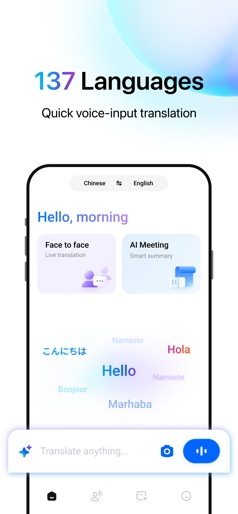
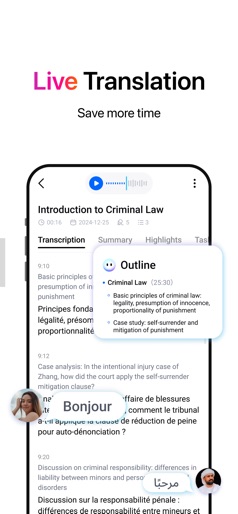
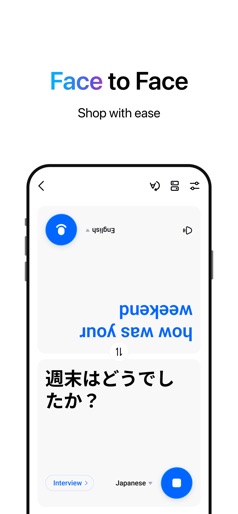
Trusted by over 500 million users with a 4.7 rating, Hi Translate makes cross-language communication effortless. Translate text, voice, audio, images, and calls instantly using AI for smooth, real-time translation. Core Features: -Magic Floating Translator: Copy text in any app and instantly get translations. Translated text is automatically copied to your clipboard for instant use. -Real-Time Voice Translation: Translate speech instantly with low latency. -Photo Translation: Translate menus, signs, and documents in one snap. -Document Translation: Upload PDFs, Word files, and get instant translations. -Audio Translation: Translate MP3, WAV, and other audio files instantly. -Language Learning Support: Definitions, synonyms, and examples for context-aware understanding. -Call Translation: Real-time voice translation during calls for smooth conversations. Use Cases: -Travel: Instantly translate menus, signs, and conversations. -Business & Meetings: Real-time translation & AI summaries for global teams. -Lectures & Events: Live interpretation, never miss a word. -Calls: Translate voice during international calls with friends or clients. Upgrade to Hi Translate Premium: -Advanced Document & Audio Translation -Automatic Speaker Recognition -Professional Summary Templates -New users get free translation minutes. Buy more as needed. Your privacy is protected. Hi Translate uses the Accessibility API to extract on-screen text for translation but never stores or shares your data. All information stays under your control. Let Hi Translate be your trusted AI language assistant — communicate freely, explore the world, and enjoy barrier-free connections! Email: customer-support@hitranslate.ai Instagram: @hitranslateapp Facebook: @HiTranslate YouTube: HiTranslateapp TikTok: hitranslateapp
Create screenshots like Hi Translate - Chat translator
Use FlyerBanana's free editor to create professional App Store screenshots inspired by Hi Translate - Chat translator's design. 100+ templates, device frames, and one-click export.