
App Store Screenshots (5)


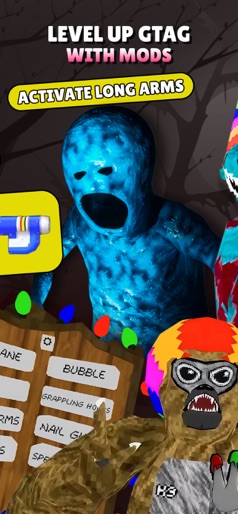
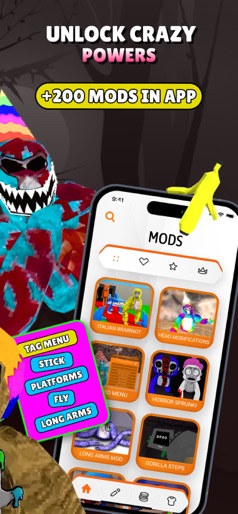
Design Analysis
Visual Design
Style: Custom
Key Features Shown
- •Skin Previews
- •Mod Menu Concepts
- •Room Code Organizer
- •Power-up Activation UI
App Insights
Target: Young Gorilla Tag players (primarily children/teens) interested in the 'ghost hunting' and horror subculture of the game.
- •Weekly Subscription
ASO Keywords:
About Gorilla Tag Mobile - Game Mods
Gorilla Tag Mobile: Game Mods focuses on ghost codes, horror-style map ideas and skins for players who like scary lobbies and custom rooms in Gorilla Tag. Instead of guessing which room to join or how to set the mood, you keep your favorite codes, looks and session ideas in one place. Before you play, open Gorilla Tag Mobile: Game Mods to decide what kind of lobby you want: creepy ghost chase, light horror with friends or just a themed room for fun. Pick ghost codes you want to use, note the horror map concepts that fit, choose a skin style and then jump into Gorilla Tag with a clear plan for the session. YOU CAN Collect and organize ghost codes you want to revisit Plan which horror-style maps and room ideas fit each code Match skins and looks to the mood of each lobby Save combinations that worked well so you can repeat them later SECTIONS INSIDE Mods – ghost and horror-inspired ideas for Gorilla Tag rooms and sessions Skins – cosmetic and style concepts for ghosts, hunters and themed characters Codes – a place to store and organize the ghost / room codes you want to remember Editor – a simple space to write down and structure combinations of maps, codes, skins and rules for future lobbies DISCLAIMER This is an unofficial app for Gorilla Tag. https://www.gorillatagvr.com/privacy-policy It is not affiliated with, endorsed by, or sponsored by Gorilla Tag, Another Axiom LLC or any of their partners. All names, trademarks and copyrights belong to their respective owners. This app does not contain Gorilla Tag or any other game software or downloadable game files, and it does not modify the game. All content is user-generated or curated for entertainment and inspiration purposes only. Please note: There are no free features available; a subscription is required to access all content and tools.Subscription Details:* - Premium Access: $8.99/ 7 days - Payments will be charged to your iTunes Account at confirmation of purchase. - Subscriptions auto-renew unless auto-renew is turned off at least 24 hours before the end of the current period. - Your account will be charged for renewal within 24 hours prior to the end of the current period. - Manage your subscriptions and turn off auto-renewal by going to your Account Settings after purchase. - Any unused portion of a free trial period, if offered, will be forfeited when you purchase a premium subscription. Please note, the app contains no free content. Subscription is required to access all features and content. For further information, please consult our privacy policy and terms of use: - Privacy Policy: https://docs.google.com/document/d/16zBkgUfftRsESF8CVNdSqQ7o8sHzhkQtV7o-HzVfm8g/edit?usp=sharing - Terms of Use: https://docs.google.com/document/d/1m91xowsJPaQ3kRrmehP0N4P80b3AgOzaTqrpbtj6pxk/edit?usp=sharing
Create screenshots like Gorilla Tag Mobile - Game Mods
Use FlyerBanana's free editor to create professional App Store screenshots inspired by Gorilla Tag Mobile - Game Mods's design. 100+ templates, device frames, and one-click export.
More Entertainment Apps
View all

YouTube
Entertainment


Spotify: Music and Podcasts
Entertainment


TikTok - Videos, Shop & LIVE
Entertainment


Pandora: Music & Podcasts
Entertainment


Shazam: Find Music & Concerts
Entertainment


Photo Lab Picture Editor & Art
Entertainment