
App Store Screenshots (7)
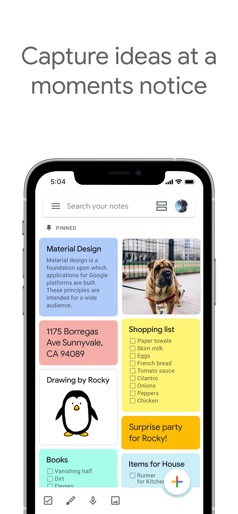


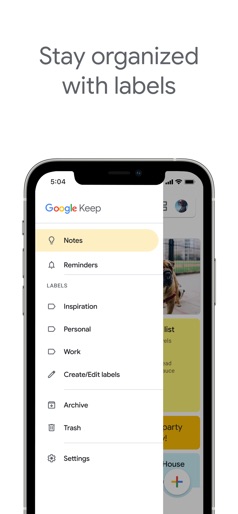


Design Analysis
Visual Design
App Insights
About Google Keep - Notes and lists
• Capture, edit, share, and collaborate on your notes on any device, anywhere. • Add notes, lists, photos, and audio to Keep. • Organize your notes with labels and colors. • Set and forget. Get reminded about a note at the right time or place. • Record a voice memo and have it automatically transcribed. • Grab the text from an image to help you quickly find that note again through search. WHEN AND WHERE YOU NEED IT Need to remember to pick up some groceries? Set a location-based reminder to pull up your grocery list right when you get to the store. Need to finish a to-do? Set a time-based reminder to make sure you never miss a thing. SHARE YOUR THOUGHTS WITH FAMILY AND FRIENDS Next time you go to the store, share your shopping list on Keep and watch as items get checked off in real time. No need for text messages back and forth. Get things done together, faster. FIND WHAT YOU NEED, FAST Quickly filter and search for notes by color and other attributes like lists with the label “To-dos”, audio notes with reminders or just see shared notes. Find what you're looking for even faster, and let Keep do the remembering for you. ALWAYS WITHIN REACH Keep works on your phone, tablet and computer. Everything you add to Keep syncs across your devices so your important stuff is always with you. Try Google Keep on the web at http://keep.google.com and find it in the Chrome Web Store at http://g.co/keepinchrome.
Create screenshots like Google Keep - Notes and lists
Use FlyerBanana's free editor to create professional App Store screenshots inspired by Google Keep - Notes and lists's design. 100+ templates, device frames, and one-click export.
More Productivity Apps
View all

Microsoft Outlook
Productivity


AVG AntiVirus & Security
Productivity


Screen Recorder - XRecorder
Productivity


Opera: Private Web Browser
Productivity


Parallel Space - app cloning
Productivity


Duolingo - Language Lessons
Productivity